In short. The engine runs on the space's server: your entries, your CVs and your documents are not sent to any AI provider, confinement is active by default and every outbound network connection is logged. The AI proposes questions, links, definitions and forecasts; you are always the one who confirms or dismisses.
Where it comes in, screen by screen
| Screen | What it does | Who decides |
|---|---|---|
| Search | Understands a question in everyday language; “Who knows?” finds people, not just documents | — |
| Assessments › Question workshop | Drafts questions from your validated content | You validate each question |
| Untapped knowledge | Reads CVs, groups knowledge by theme, proposes tasks | You transfer or dismiss |
| Smart repository | Spots emerging skills and levels to raise | You apply them or not |
| Connectors | Proposes document ↔ knowledge links | You confirm |
| Glossary | Proposes definitions | You review them |
| Predictive analytics | Forecasts what will tip over, spots what is dropping off, forms knowledge communities, estimates how long a knowledge item will survive | You decide on the actions |
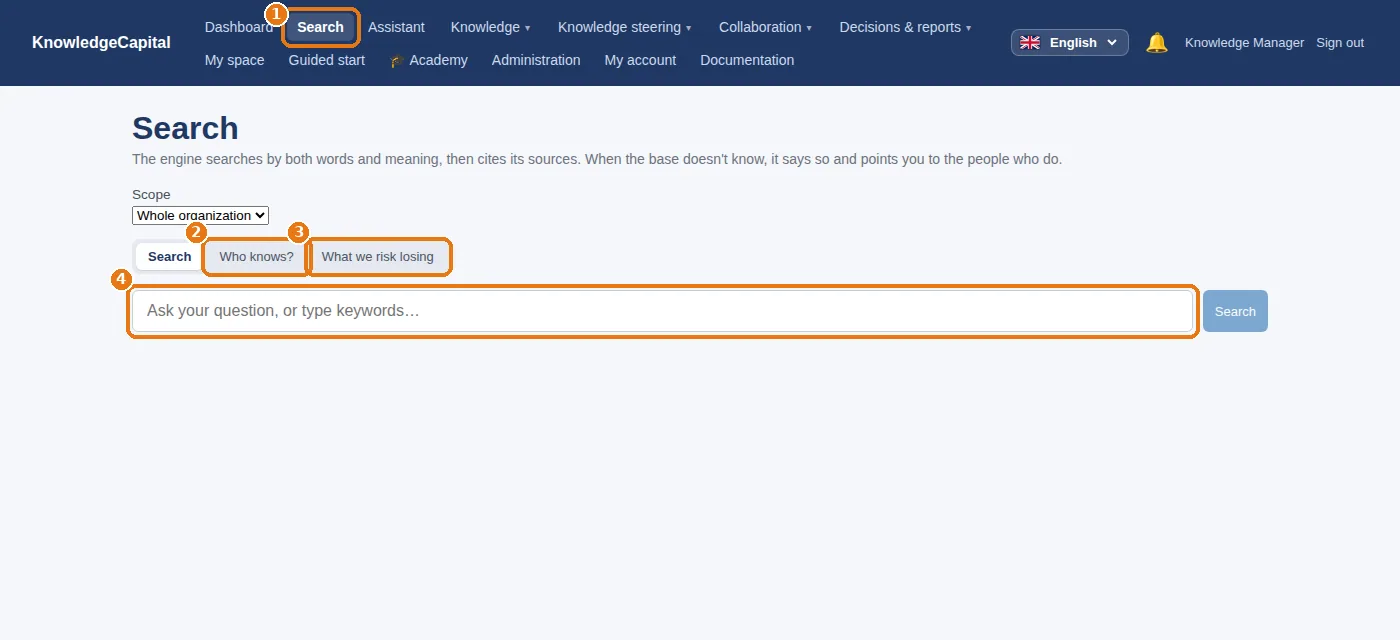
Predictive analytics
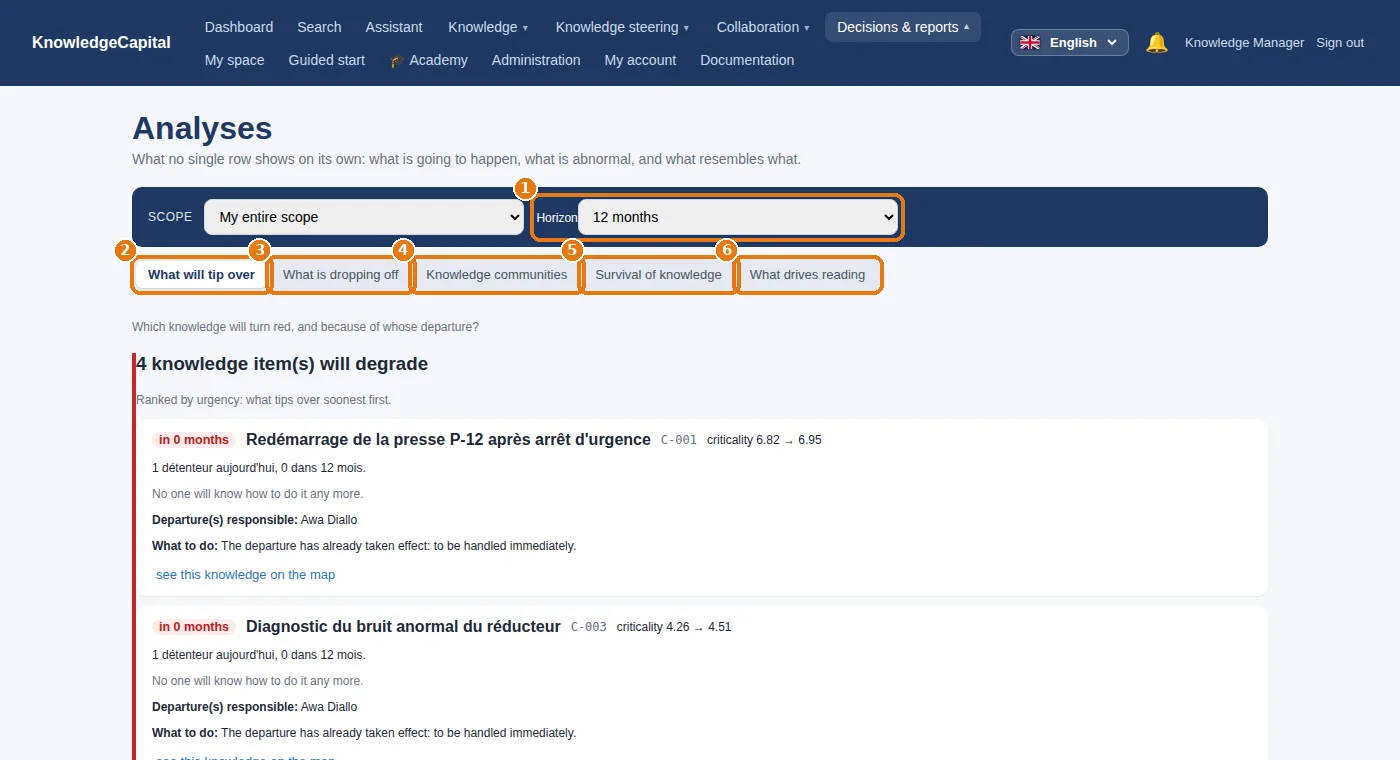
1 The horizon (6 to 36 months), then five tabs: 2 what will tip over, 3 what is dropping off, 4 knowledge communities, 5 survival of knowledge, 6 what drives reading.
Checking what the machine does
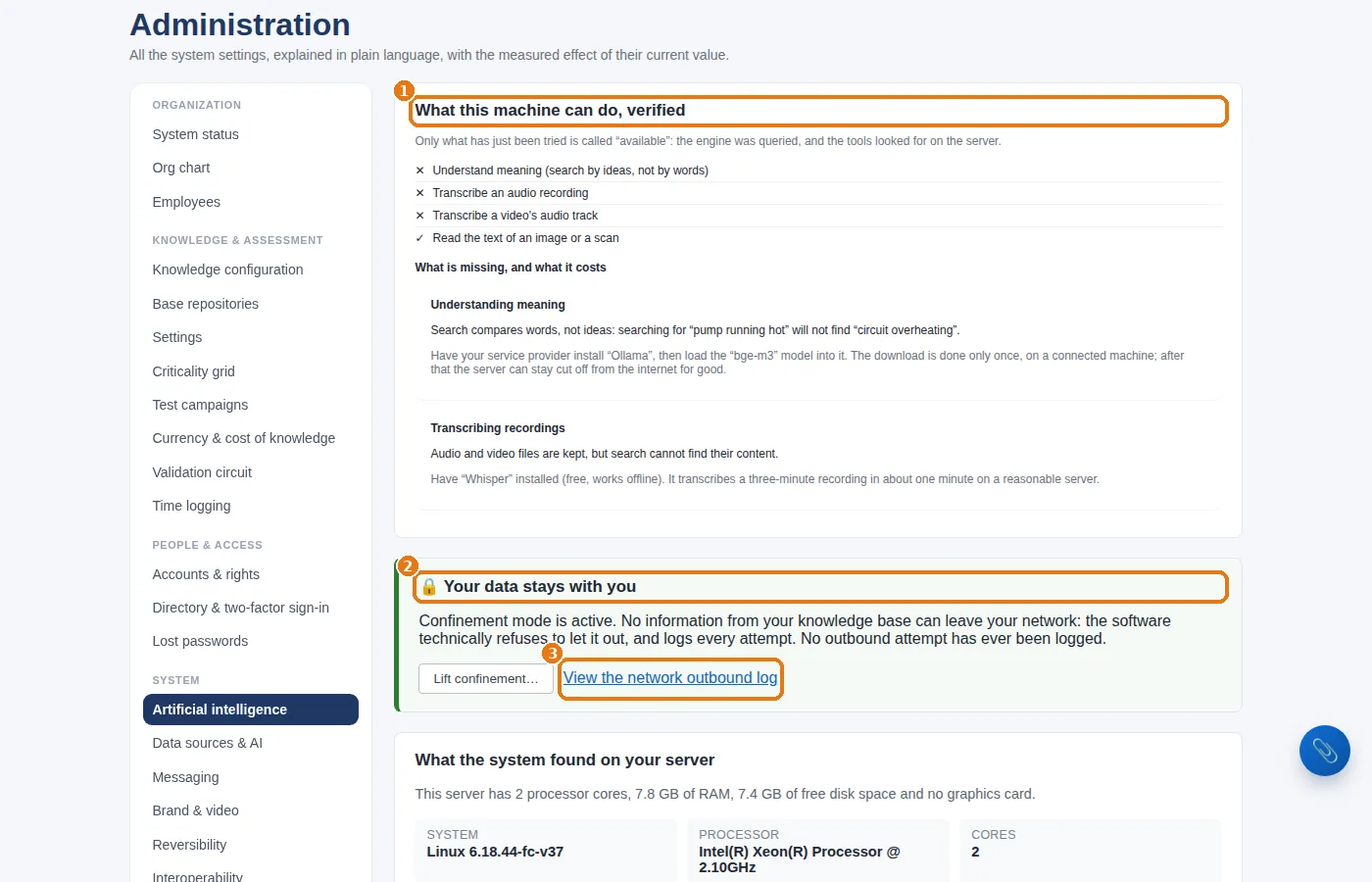
Confinement can only be lifted deliberately, with explicit confirmation, and the action is logged. Connectors only open the addresses you connect.
See also: Step 10 — Connecting SharePoint, your DMS, Notion, your intranet or your own system · Keeping the repository up to date without spending your days on it · Reporting: the decision board, the ready-made reports, and your own · Sovereign knowledge management with local AI · A knowledge ERP: what your ERP does not manage
Frequently asked questions
Is our data sent to an AI provider?
No. The engine runs on the space's server; confinement is active by default, can only be lifted deliberately and with explicit confirmation, and every outbound network connection is logged.
What does the AI actually do in the software?
It understands a question in everyday language, drafts assessment questions from your validated content, reads CVs, spots emerging skills, proposes document links and definitions, and computes the predictive analytics. You confirm, transfer or dismiss every time.
Why do the predictive analytics show nothing?
In a newly created space there are not yet enough assessments, departures and reads to learn from. Allow a few months of real use.