In short. Opening the accounts is the moment the space becomes the team's. In Administration then Accounts & rights, each account is linked to a person's record and is given at least one role. The temporary password is replaced by the person at their first sign-in, which continues with a guided start in five steps.
Until now, you have been alone in the space. Opening the accounts is the moment it becomes the team's space. Do it after assigning the tasks (step 4): that is what makes everyone's first sign-in useful.
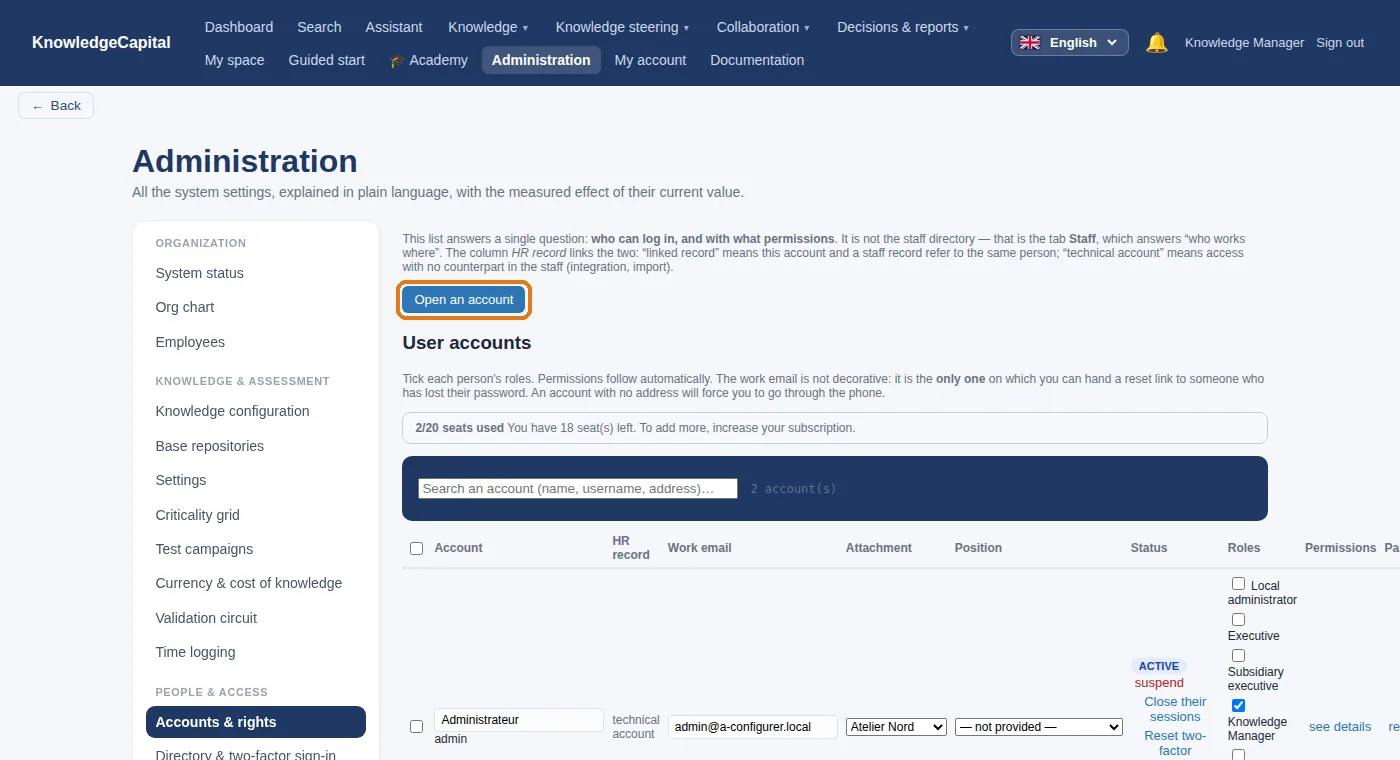
1. Open an account
k.benali), 4 the work e-mail address, 5 the attachment and 6 the position.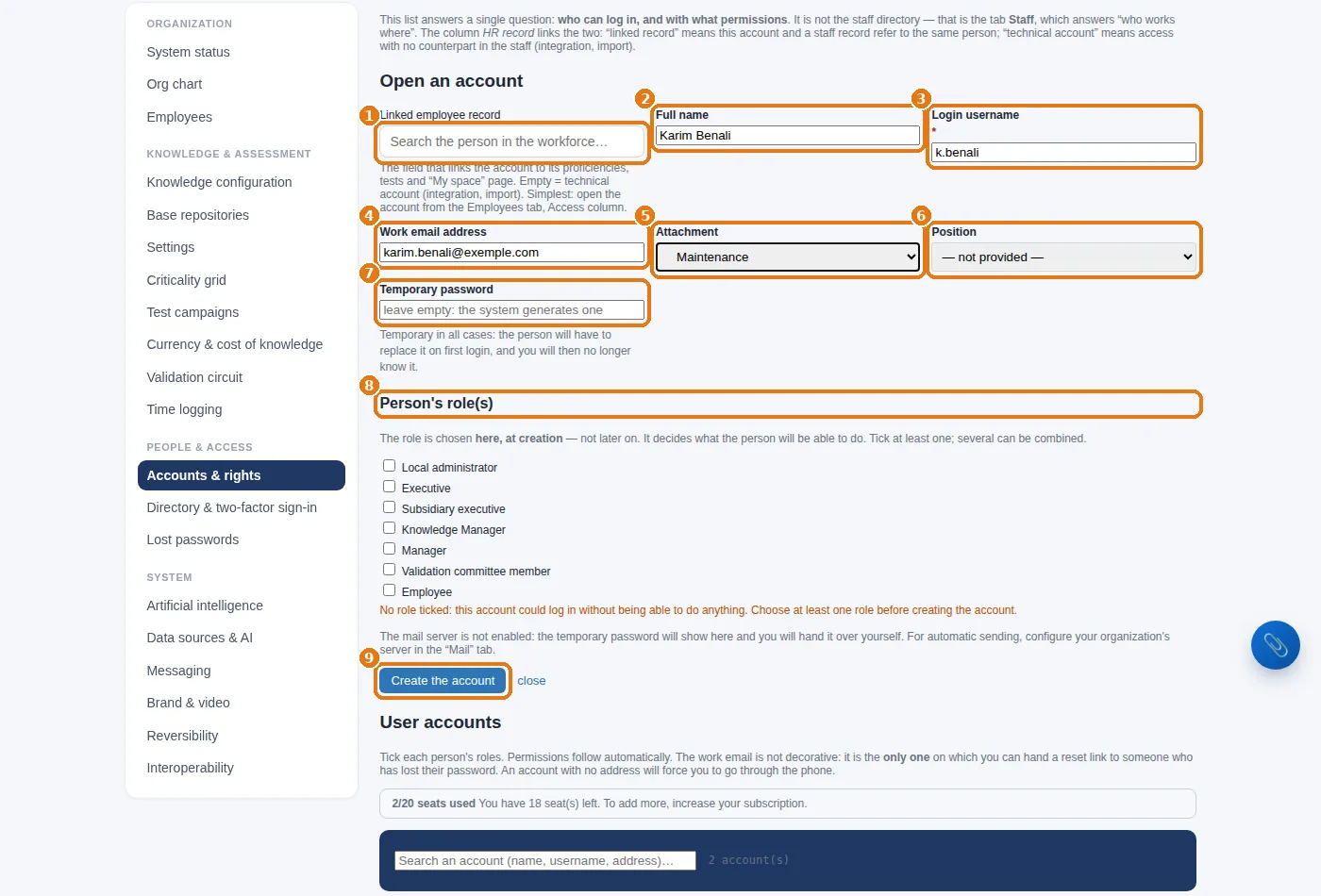
2. Which role for whom
| Role | What it gives access to |
|---|---|
| Employee | their own record, tasks and tests, the knowledge base, the academy, the expertise center |
| Manager | in addition: their team, the assessments within their scope, the opinion before the committee |
| Validation committee member | approving or rejecting submitted entries |
| Knowledge Manager | the entire map, the repository, campaigns, knowledge configuration |
| Executive · Subsidiary executive | the decision board and the reports for their scope |
| Local administrator | the administration of their site: accounts, org chart, HR data |
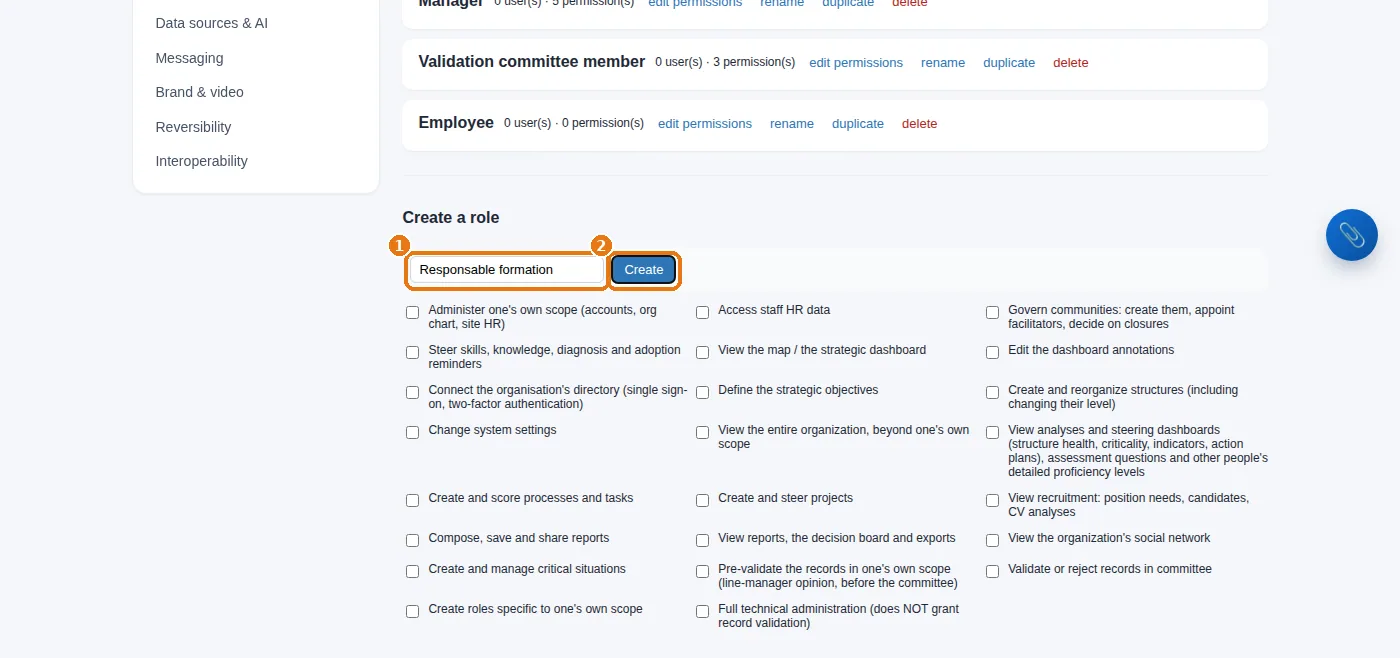
3. A custom role
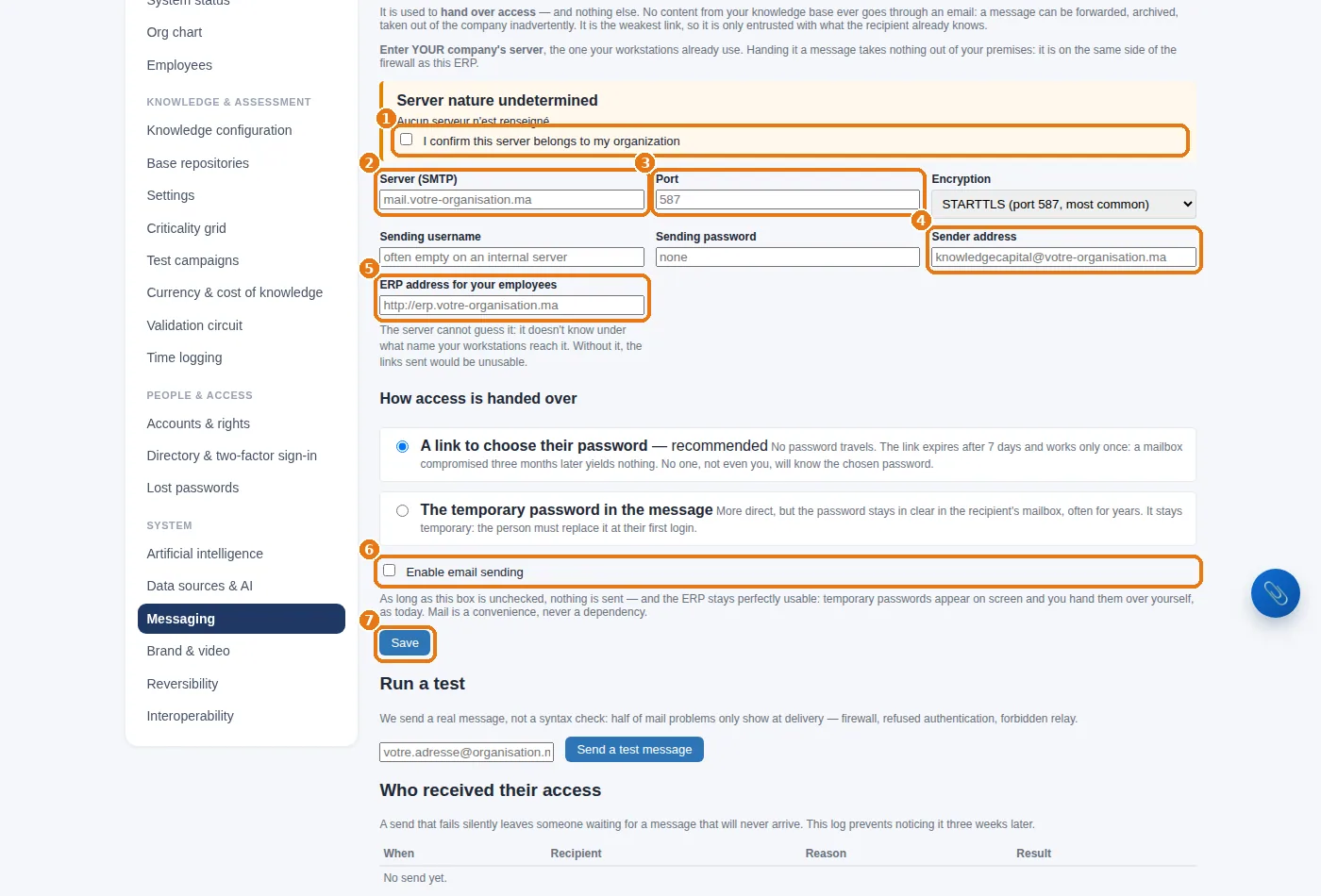
4. E-mail (optional)
Without e-mail, you hand over the access details yourself: that is the default behaviour, and it is safe. For the system to send out access details and test summons, go to Administration › Messaging:
5. An employee's first sign-in
The person signs in with their username and temporary password: the system first makes them choose a new one.
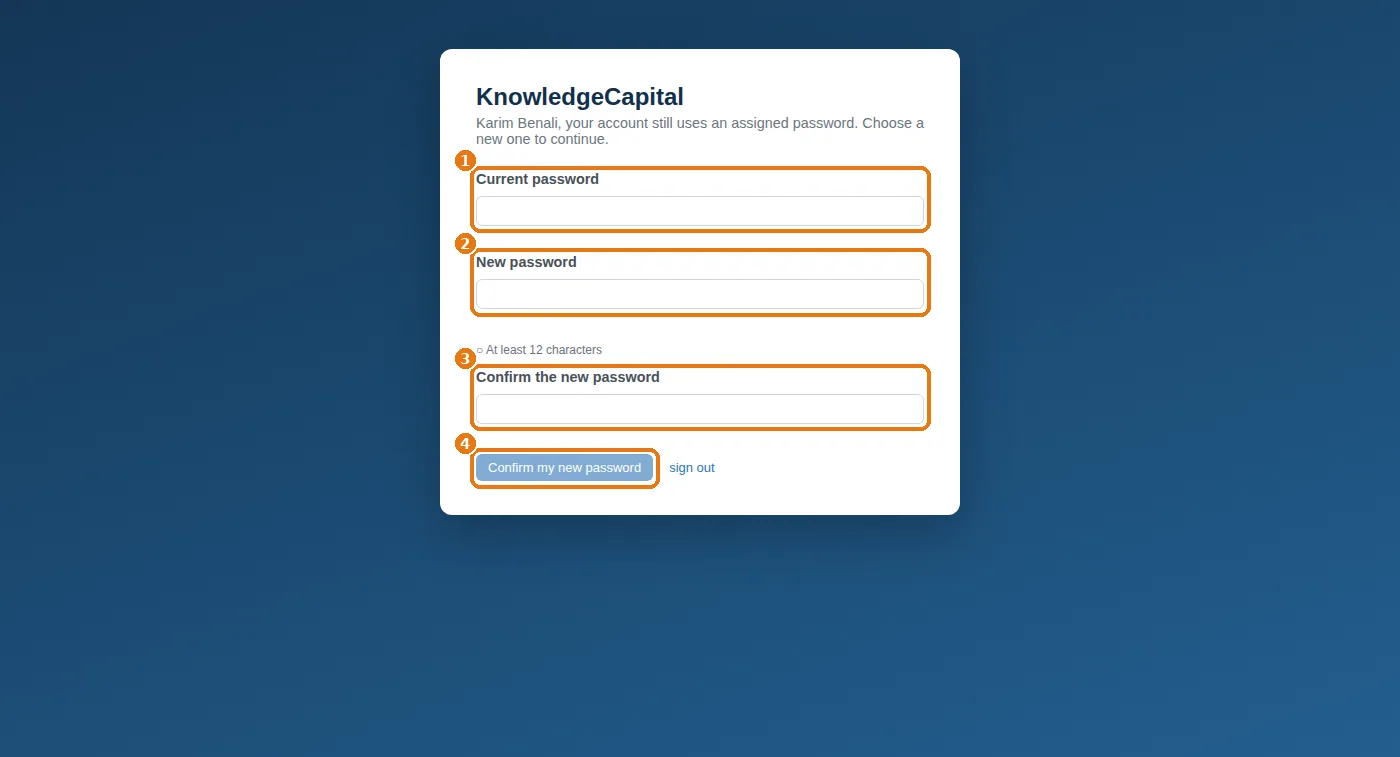
They type the temporary password in Current password 1, the new one in New password 2 — the rules shown underneath turn green one by one —, repeat it in Confirm the new password 3, then click Confirm my new password 4. Until this is done, no other screen opens.
They then land on their Guided start, in five steps: securing their account, uploading their CV, confirming their attachments, saying who they call when they are stuck, and taking their first test. The CV feeds the pool of untapped knowledge; the questionnaire maps the real network of mutual help.
See also: Step 2 — Positions, then people: by hand or from a file · Step 4 — Processes and tasks: what makes a knowledge item relevant · Step 8 — The validation circuit: who approves what gets written · Internal expert network: find who knows · How to build a knowledge management system from scratch
Frequently asked questions
How do you create user accounts and choose their roles?
Administration then Accounts & rights, “Open an account”: choose the person in the workforce, leave the password blank so a temporary one is generated, and tick at least one role. An account with no role can sign in but cannot do anything.
Do you need a mail server to hand out the access details?
No. Without e-mail you hand over the access details yourself, and that is the default behaviour. Administration then Messaging then lets the system send access details and test summons.
What does an employee see at their first sign-in?
They first have to choose a new password, then they land on their Guided start in five steps: securing their account, uploading their CV, confirming their attachments, saying who they call when they are stuck, and taking their first test.