In short. A blank space starts out with a single structure, the root, and everything sits under it. In Administration then Org chart, you rename it with the name of your organisation, then create your departments with “Create a sub-structure”. The “Org chart” line turns green as soon as there is a structure under the root.
A blank space starts out with a single structure, the root, which bears the name given when the space was created. Everything else will sit under it.
1. Select the root
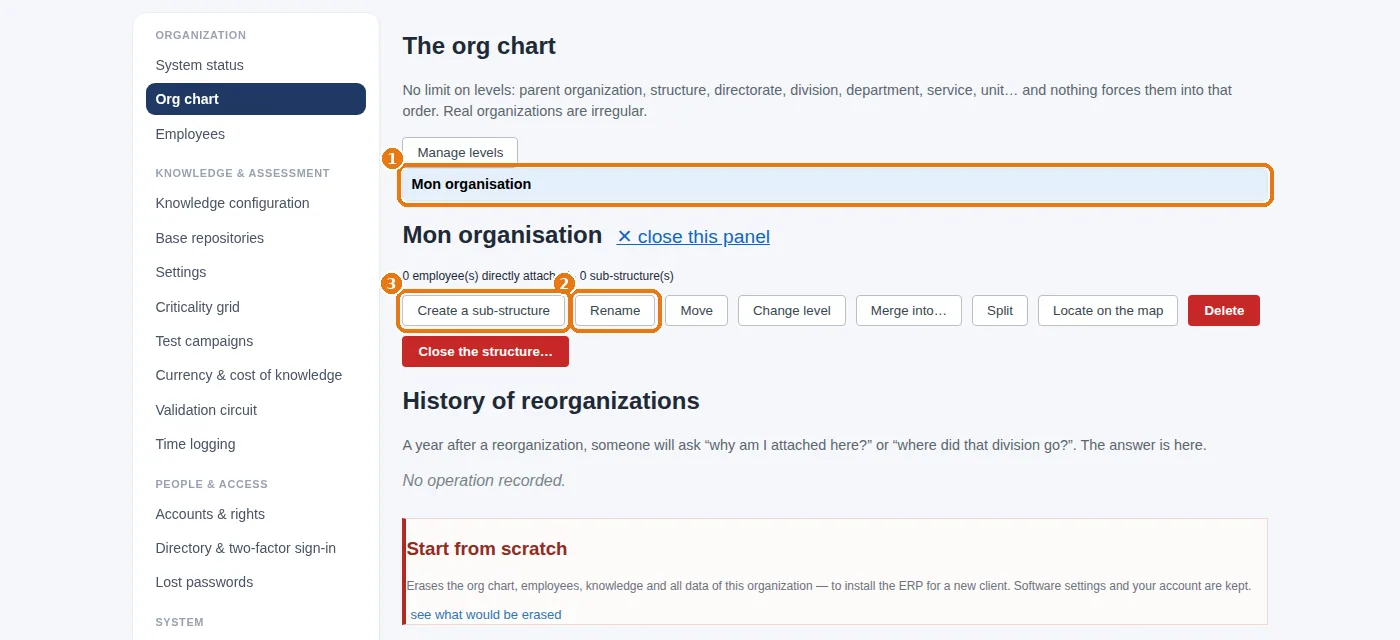
2. Correct its name if needed
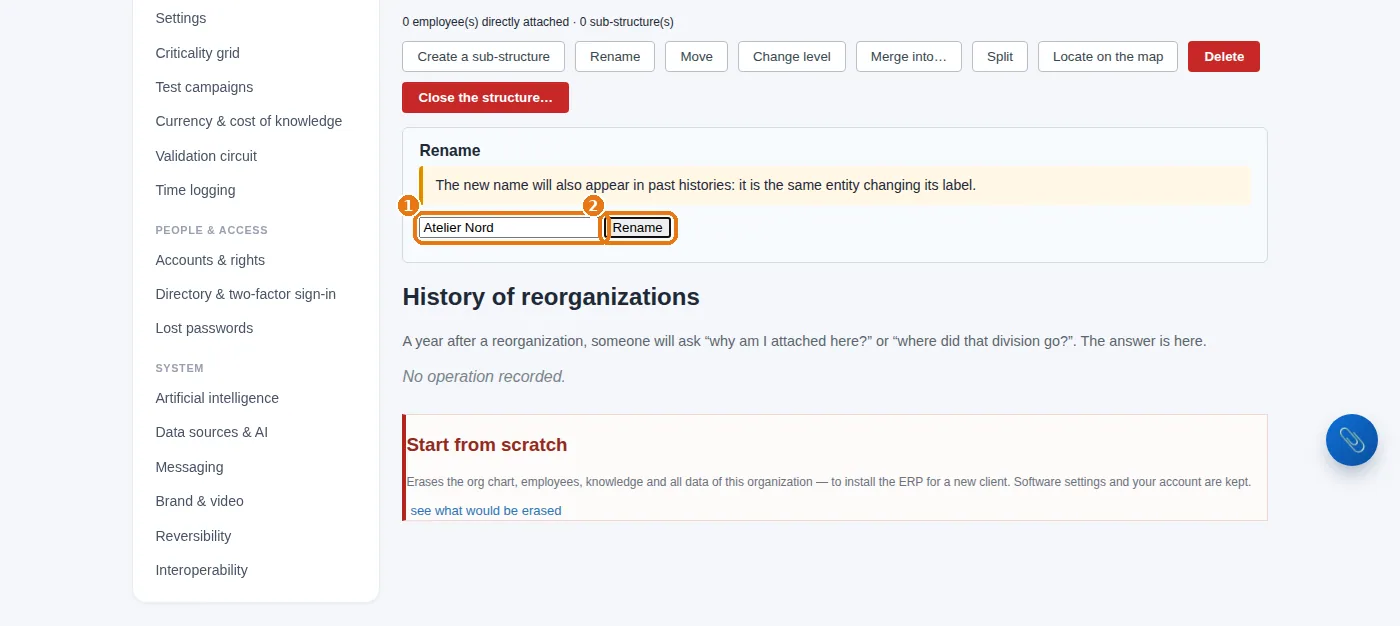
The new name applies everywhere, including in the history: it is the same entity under a new name.
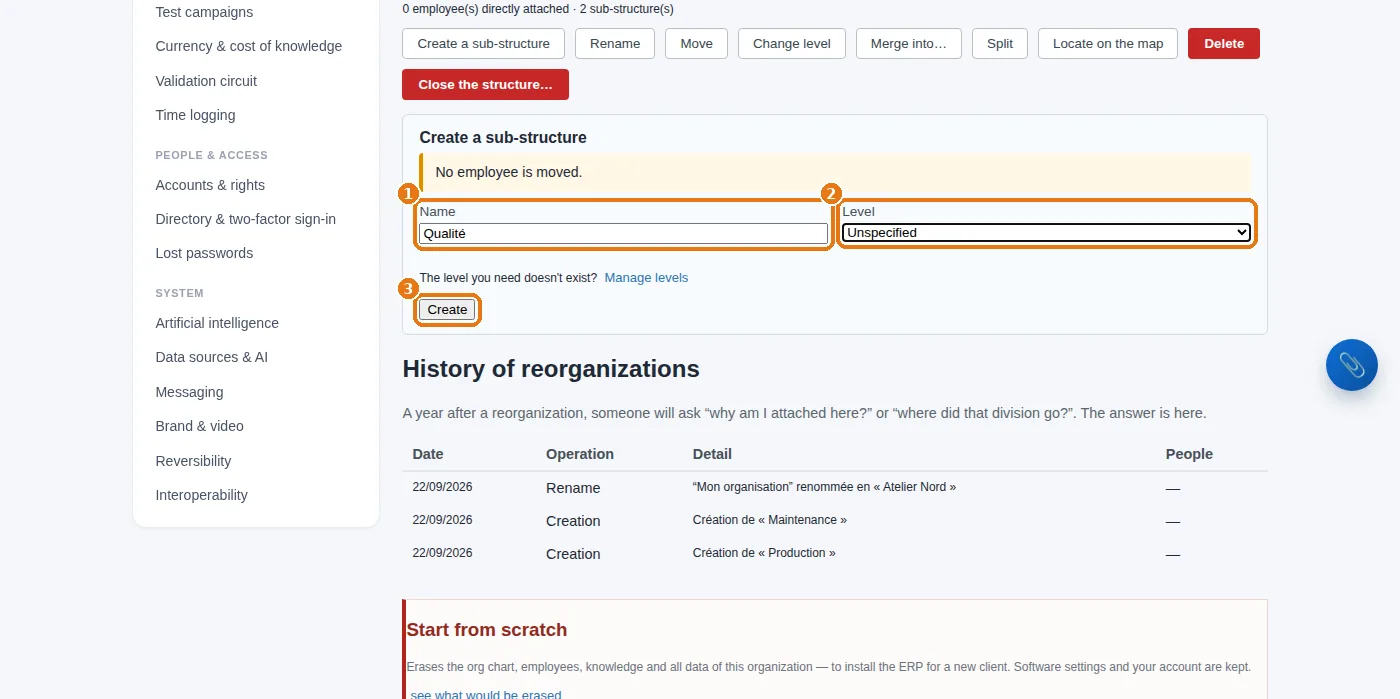
3. Create the departments under it
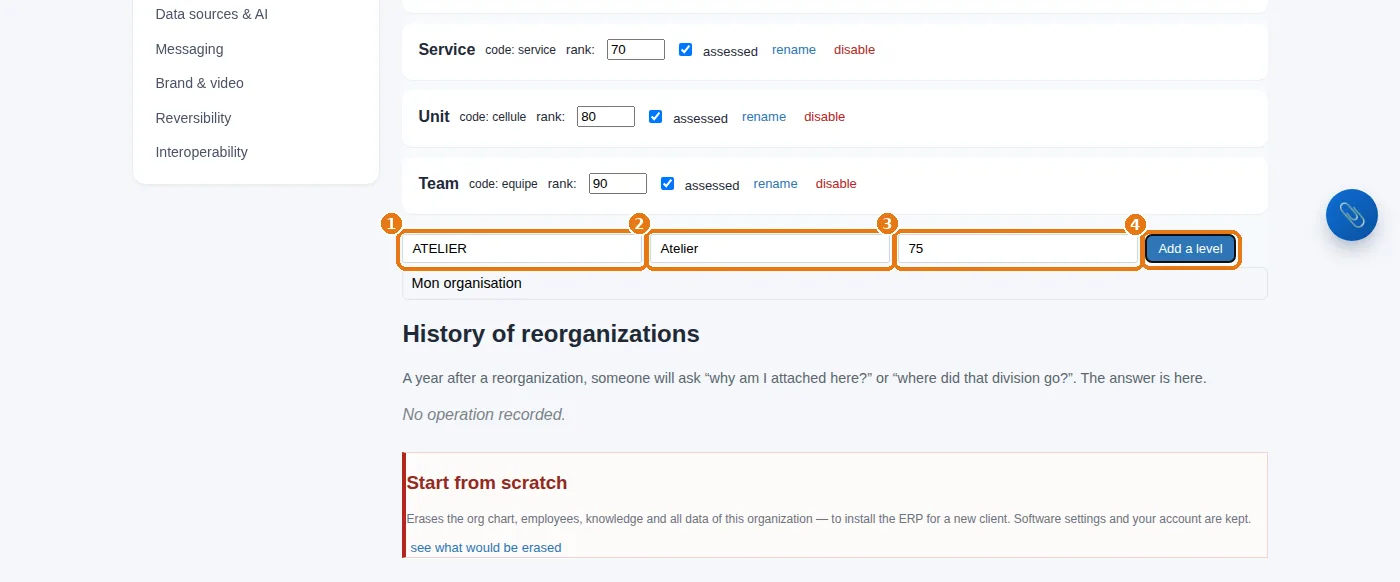
4. Name the levels (optional)
Levels (division, unit, department, workshop…) are never a blocker; they make reports easier to read. Manage levels:
5. What you should see
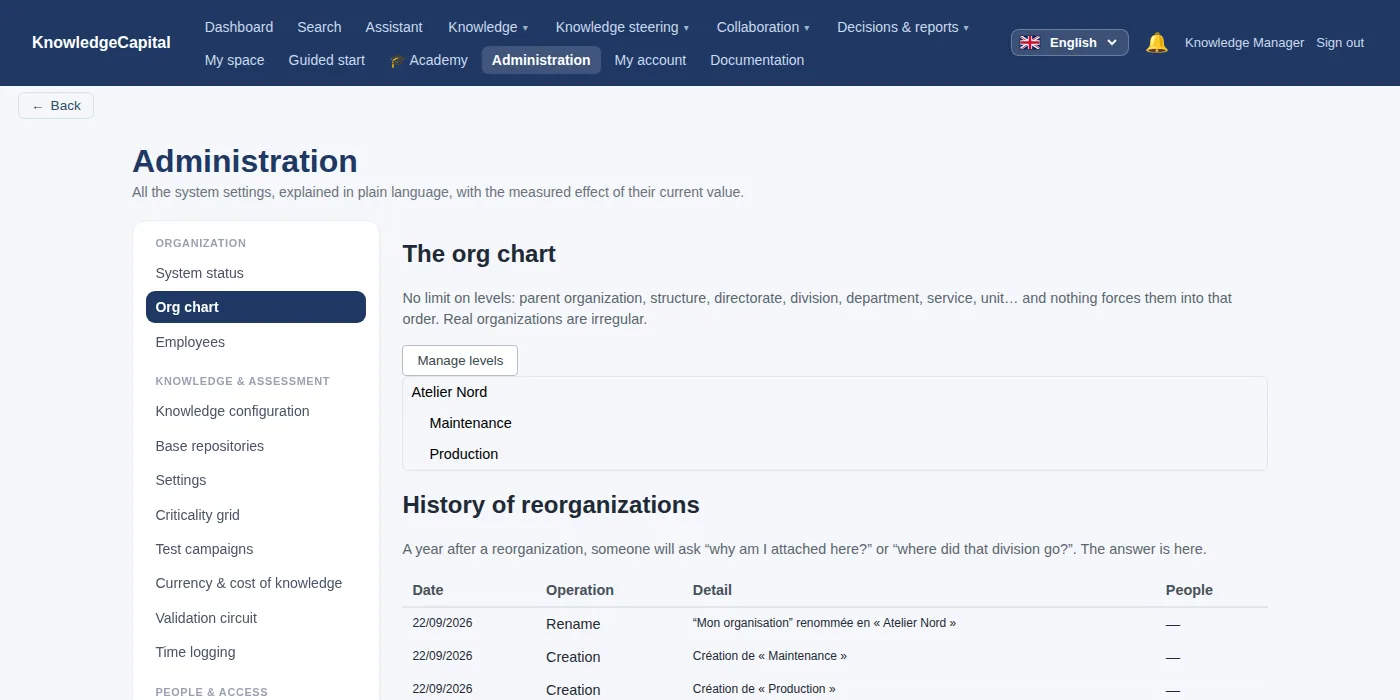
Three structures are enough for this whole guide. In “System status”, the “Org chart” line turns green as soon as there is a structure under the root.
Later: reorganizing without losing anything
On a structure's record: Move (put it under another structure), Change level, Merge into… (two departments that become one), Split (the reverse), Locate on the map (place this site on the map, for organizations with several locations). Each operation is dated in History of reorganizations: a year later, you still know why someone is attached here.
See also: Step 2 — Positions, then people: by hand or from a file · Step 4 — Processes and tasks: what makes a knowledge item relevant · End of setup: the check, line by line · How to build a knowledge management system from scratch · A knowledge ERP: what your ERP does not manage
Frequently asked questions
How do you create an org chart in KnowledgeCapital?
Administration then Org chart: select the root structure, rename it with the name of your organisation, then create each department with “Create a sub-structure”.
Can an org chart have two roots?
It should not: a second root gives you two organisations side by side, and calculations by scope no longer make sense. Always create under a selected structure.
How do you reorganise a department without losing the history?
On a structure's record: Move, Change level, Merge into…, Split. Each operation is dated in “History of reorganizations”.