KnowledgeCapital

KnowledgeCapital › Docs

Step 5 — Who knows what: mastery, and a map that finally tells you something

Declare who knows what, from 0 to 5, on screen or through the skills matrix, then read the heat map and the knowledge risk screen.

In short. Up to now the space has been describing; from here on, it measures. You declare the holders of each knowledge item on a scale of 0 to 5, person by person or through the skills matrix for a department. The map then shows the knowledge items with a single holder, and the “Knowledge risk” screen names them.

This is the step that gives meaning to everything else. Up to now, the space has been describing; from here on, it measures.

The scale, from 0 to 5

LevelWhat it means
0does not know (level 0 removes the person from the holders)
1–2learning, needs help
3autonomous
4experienced, helps others out
5expert, able to teach it

1. Declare a holder on screen

1
Skills & Knowledge: click the name of a knowledge item in the list under the map; its record opens on the right.
2
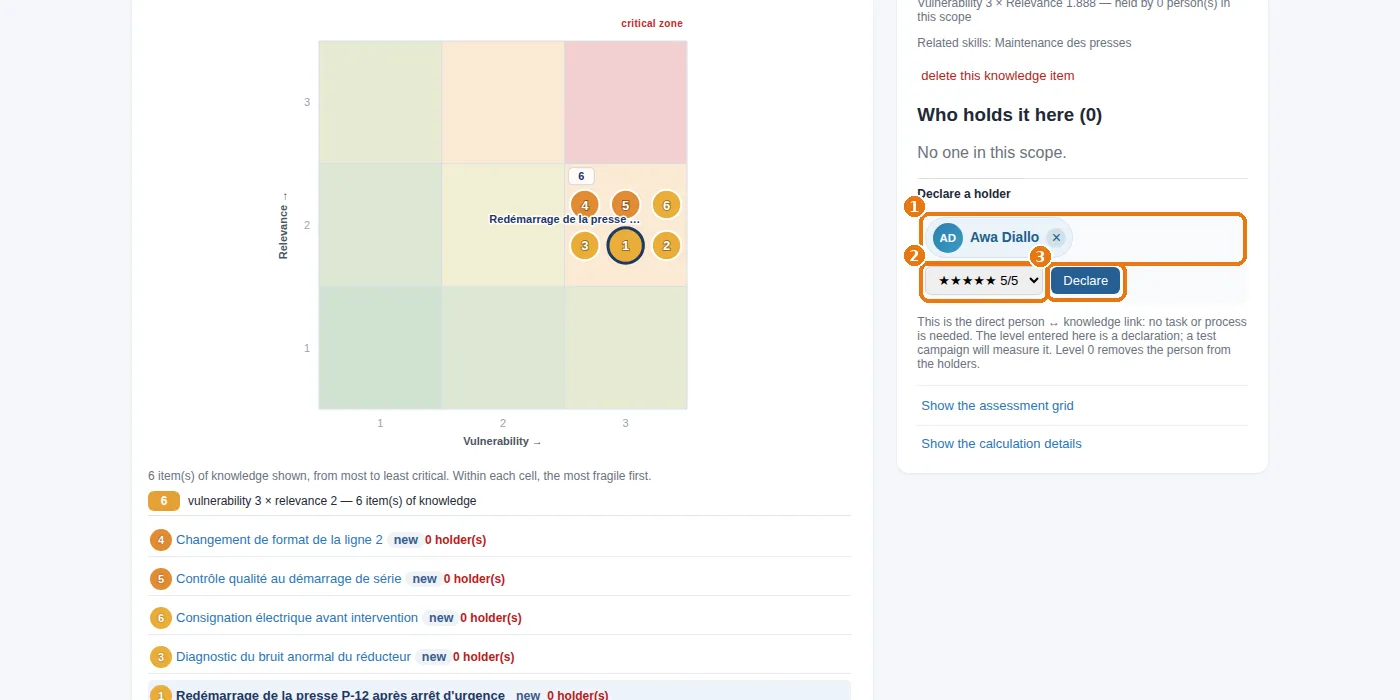
Declare a holder block: 1 type the beginning of the name and click the person in the list that appears, 2 choose their level, then 3 Declare.
Declaring a holder: search for the person, choose them, set their level, then “Declare”.

The level entered here is a declaration; a test campaign will measure it later (step 9). This is the direct person ↔ knowledge link: no task is needed to set it.

In the example. Redémarrage de la P-12 (restarting P-12): Awa at 5, and nobody else. Réglage des matrices (die setting): Awa 4, Karim 3. Consignation électrique (electrical lockout): Awa 5, Karim 3. Changement de format (format changeover): Sofia 5, Youssef 3. Contrôle au démarrage de série (start-of-run check): Sofia 4, Léa 3, Youssef 2.

2. Fifty people at once: the matrix

1
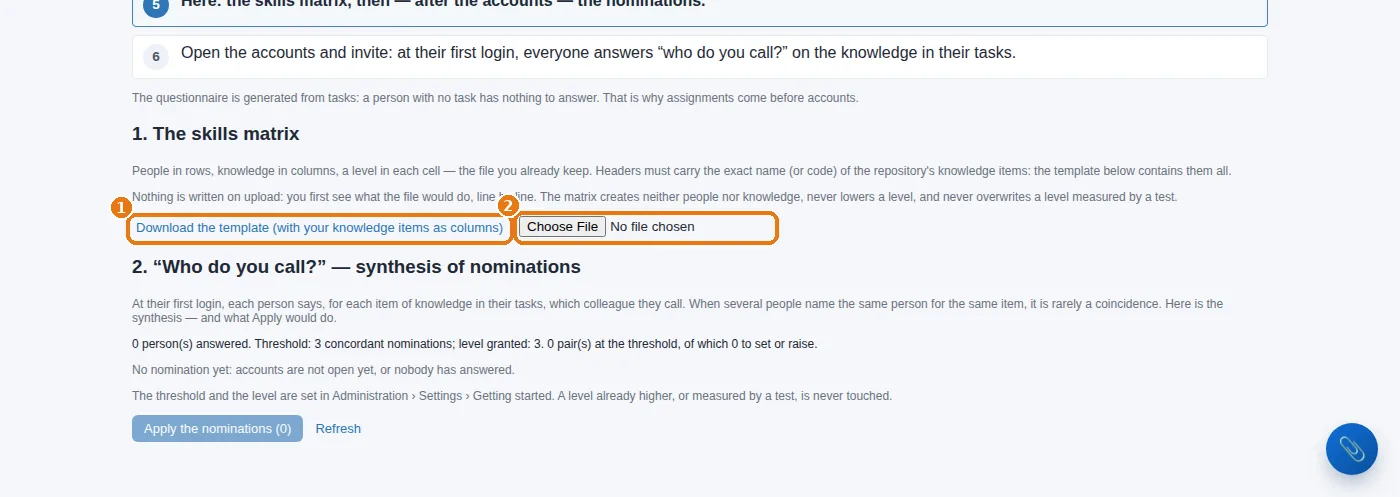
Knowledge steering › Getting started: who knows what. Under 1. The skills matrix: 1 download the template — it already contains your people in rows and your knowledge items in columns.
2
Have each manager fill it in for their team (a level from 0 to 5 per cell, empty = does not know), then 2 upload it. The preview shows what will be saved before you apply it.
The “who knows what” matrix: download the template, have it filled in, upload it.
Three ways, one result. On screen for a few people; through the matrix for an entire department in an hour; through the “Who do you call?” questionnaire that employees fill in themselves at their first sign-in, whose summary is applied from the same screen. In every case, each level is dated and its origin is recorded.

3. What the map then shows

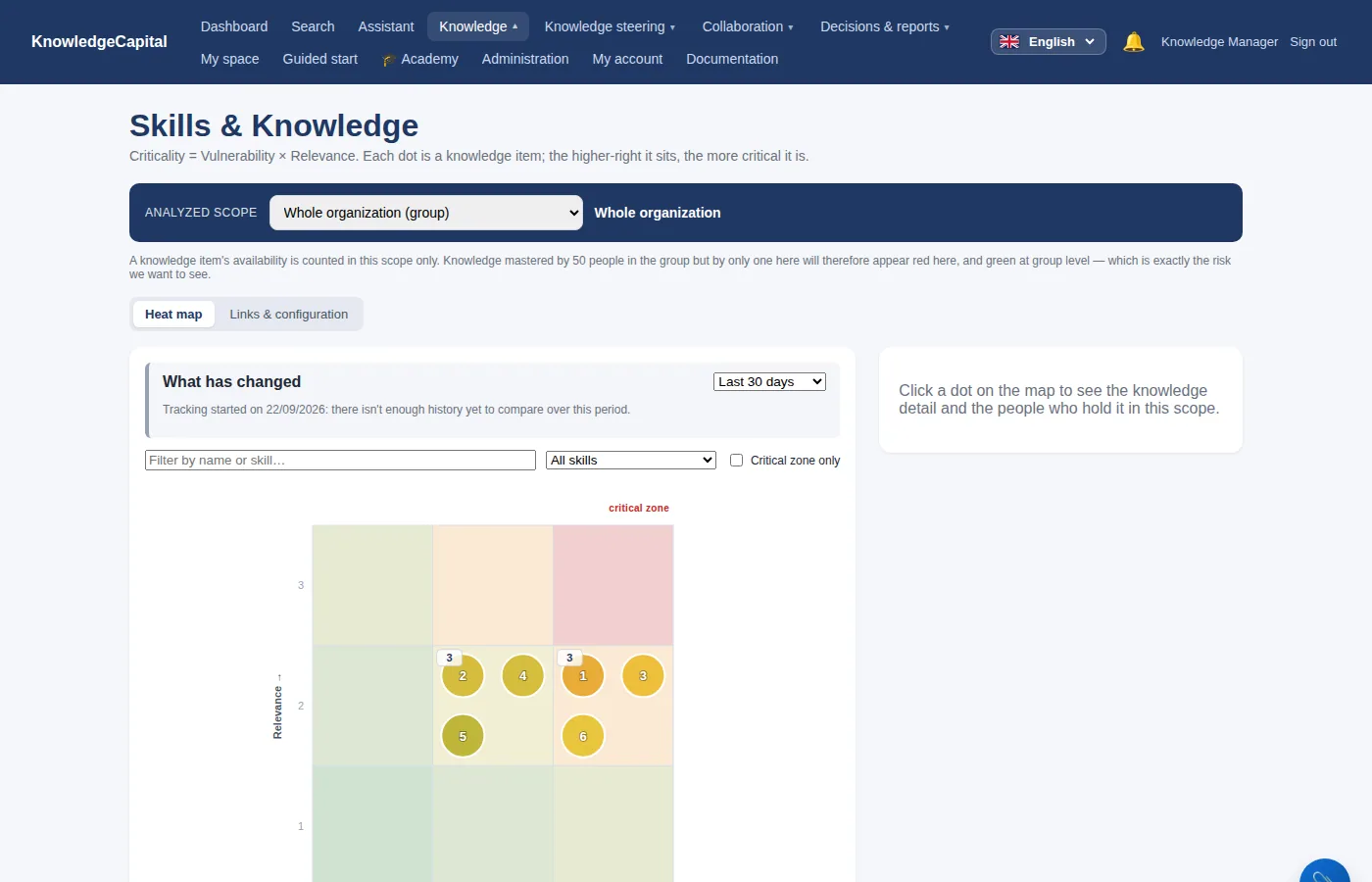
The heat map: knowledge items with a single holder rise towards the red zone.

Knowledge items with a single holder rise towards the red zone. Restarting P-12 is there, with Awa as its only holder: this is what the workshop knew without ever having seen it in writing.
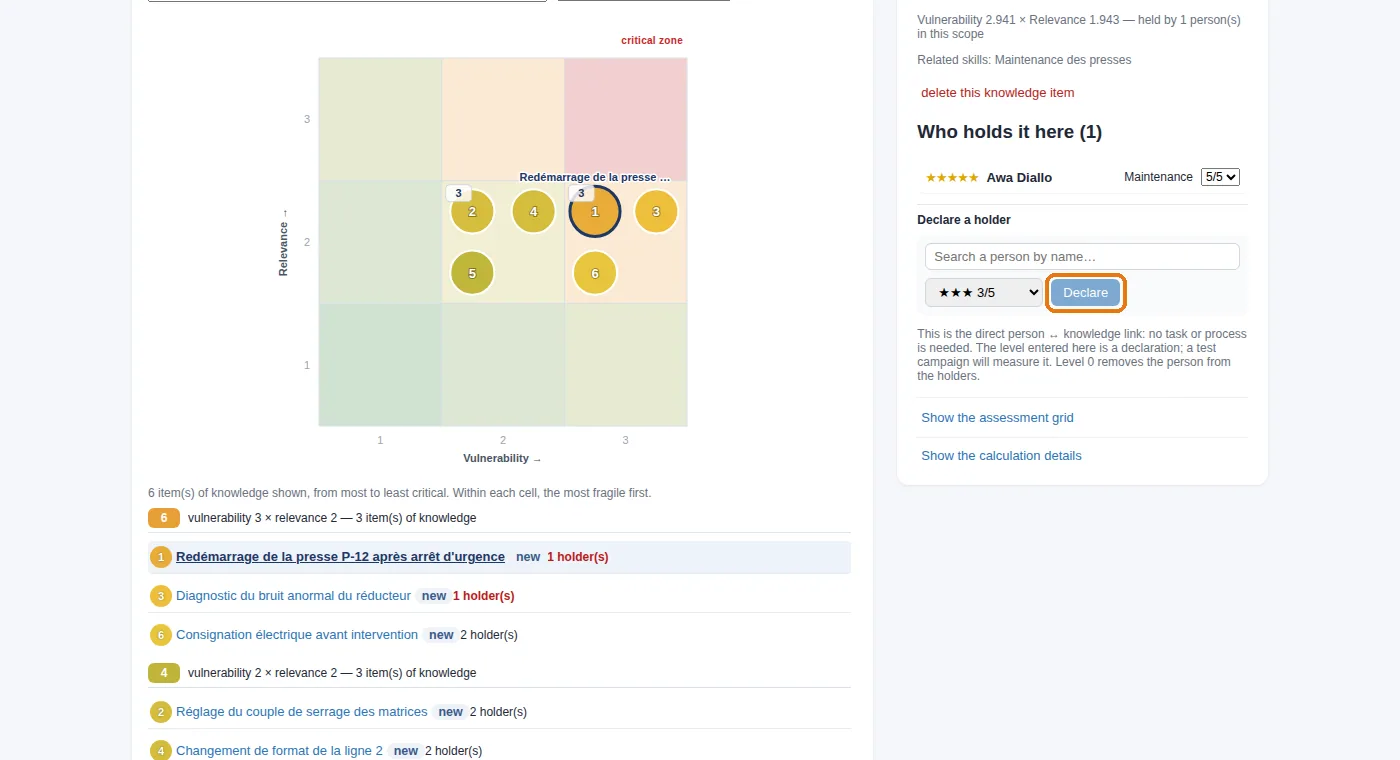
A knowledge item's record: its holders and the “Declare a holder” block.

4. The risk screen

Knowledge steering › Knowledge risk lists the knowledge held by a single person, and who that person is. Click a name to see their record: what they master, and what they alone master.
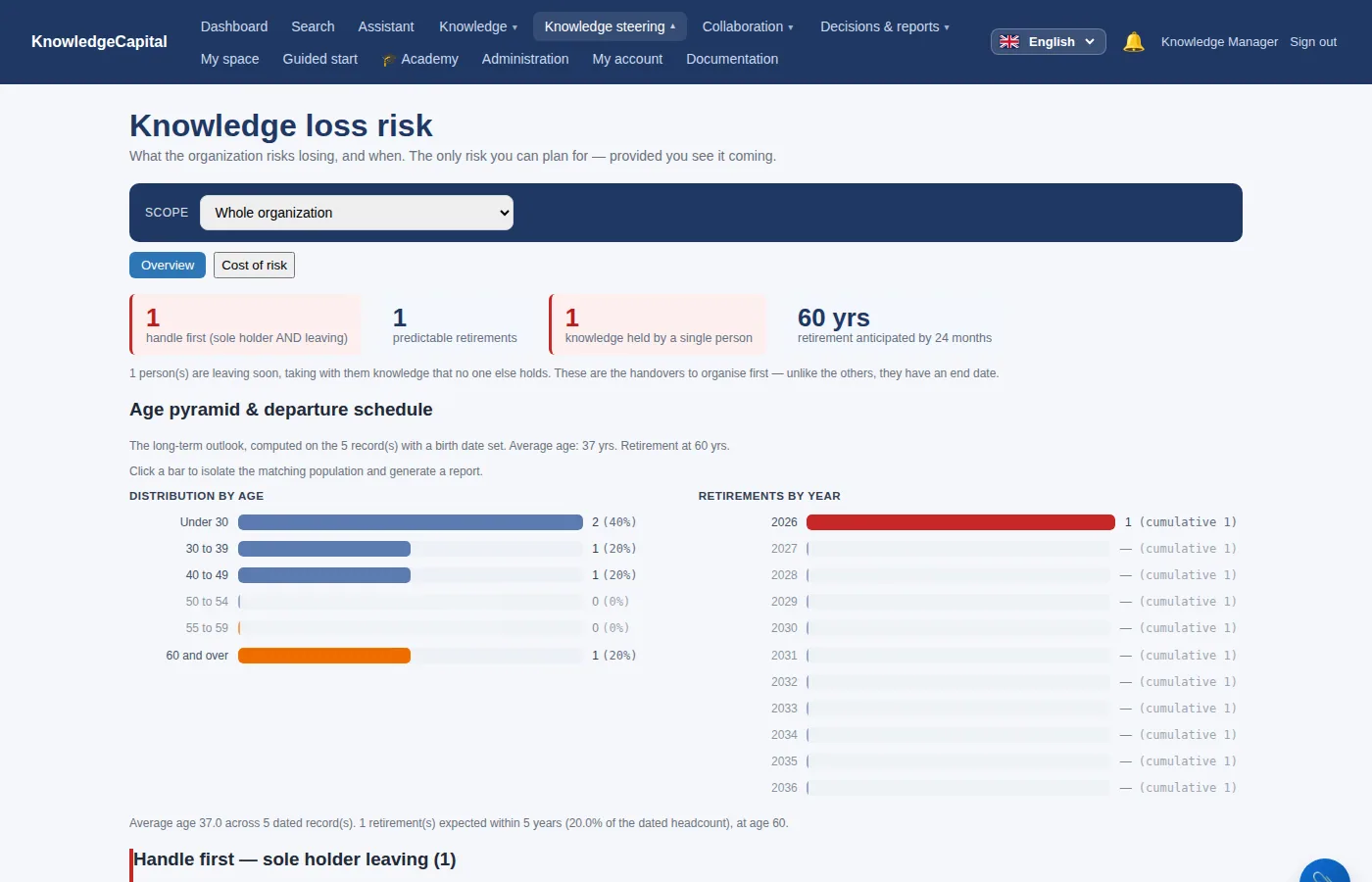
Knowledge risk: restarting P-12, a single holder.

5. The dashboard

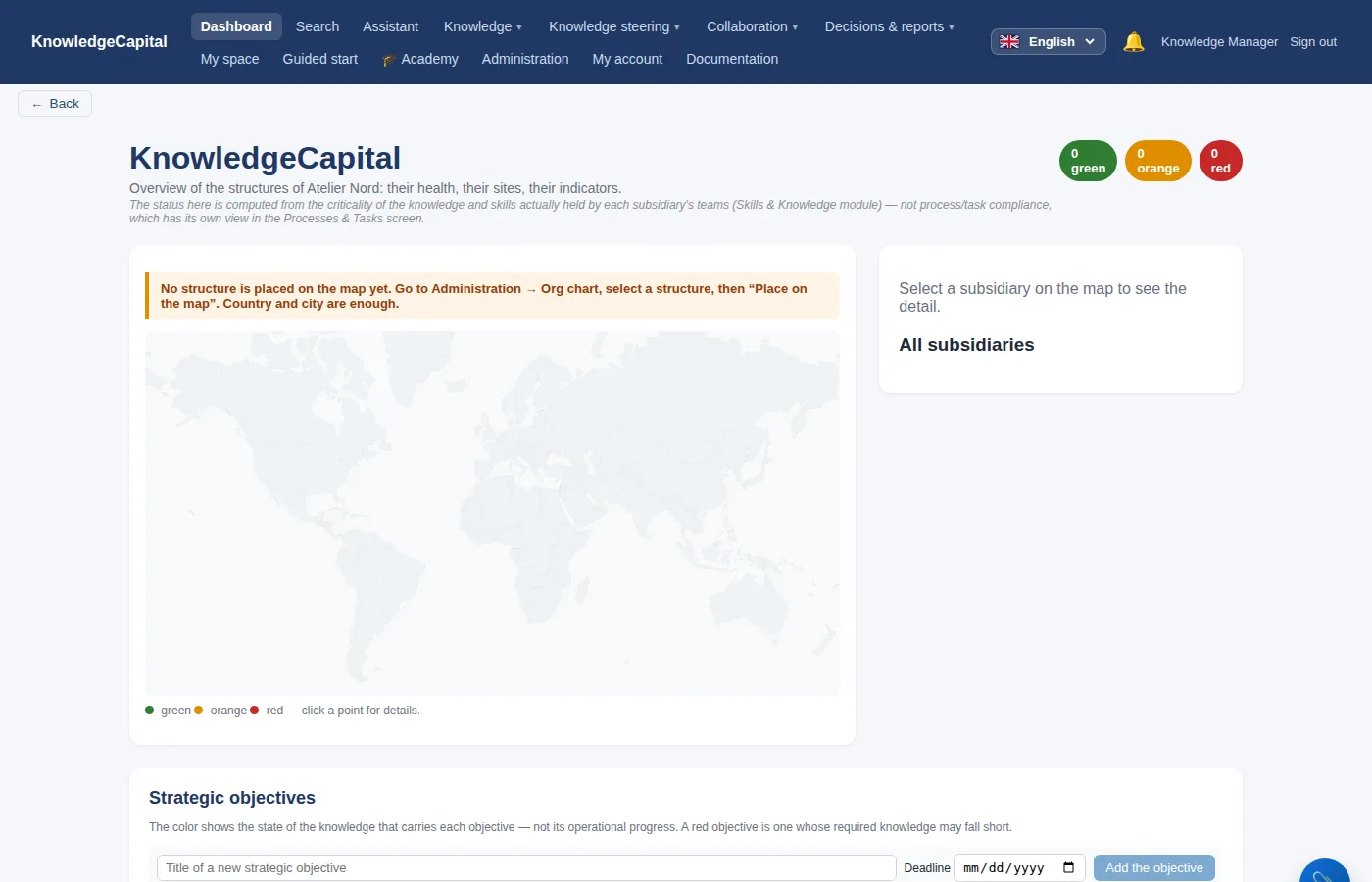
The dashboard of a newly created space.

The Dashboard sums up the space for management. In a young space it is sparse; it fills out as assessments, contributions and known departures build up.

The map that finally tells you something.An hour of entry is enough to see knowledge held by one person rise into the red zone — what the workshop knew without ever having seen it in writing. Try it on your own team: 14 days, no card. Start a free 14-day trial (no card needed) or request a demo.

See also: Step 3 — The repository: skills, then knowledge items · Step 6 — Objectives and the criticality grid: why a knowledge item matters · When something is identified: the situations, and what to do step by step · Skills mapping: method and software · Key-person risk: knowledge held by one person

Frequently asked questions

How do you fill in a skills matrix?

Knowledge steering then “Getting started: who knows what”: download the template, which already contains your people in rows and your knowledge items in columns, have each manager fill it in for their team, then upload it. The preview shows what will be saved before you apply it.

What do the levels from 0 to 5 mean?

0: does not know; 1 to 2: learning, needs help; 3: autonomous; 4: experienced, helps others out; 5: expert, able to teach it.

How do you spot knowledge held by a single person?

Knowledge steering then Knowledge risk lists the knowledge held by a single person, and who that person is. On the map, those knowledge items rise towards the red zone.

Docs