KnowledgeCapital

KnowledgeCapital › Docs

Step 3 — The repository: skills, then knowledge items

Build a repository of skills and knowledge items: name knowledge in the words of the trade, or take over a repository you already have.

In short. The repository is the organisation's shared vocabulary. A skill is a family of know-how; a knowledge item is a specific piece of knowledge that can be passed on and measured on a person. You create both from the “Links & configuration” tab. Five to ten knowledge items per department are enough to start.

The repository is the organization's shared vocabulary. In a blank space, Knowledge › Skills & Knowledge shows an empty map and the 1 Links & configuration tab: this is where everything is created.
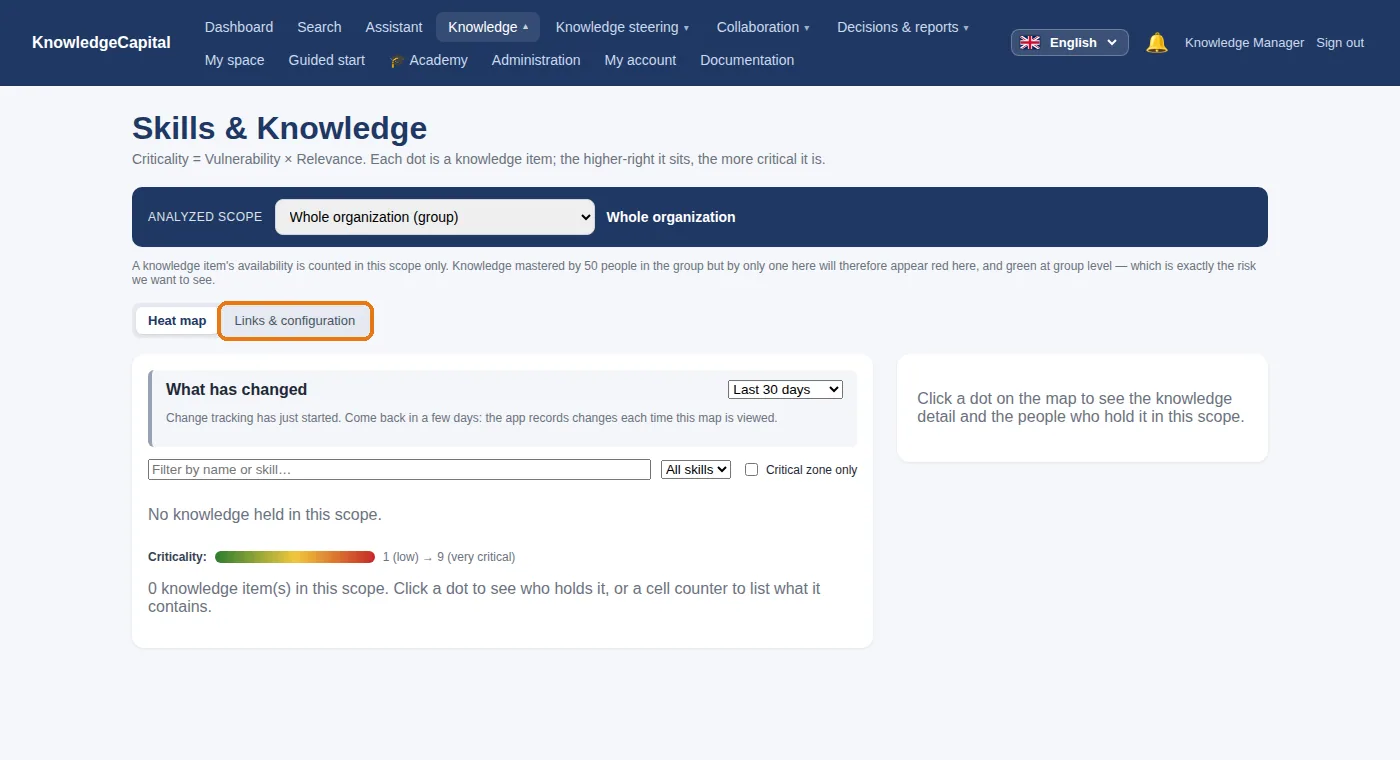
Skills & Knowledge in a blank space: everything is created in “Links & configuration”.

Two words, two levels

A skillA knowledge item
It isa family of know-howa specific piece of knowledge that can be passed on and measured on a person
ExampleMaintenance des presses (press maintenance)Redémarrage de la presse P-12 après arrêt d'urgence (restarting press P-12 after an emergency stop)
Used tostate what a task requiresmeasure who knows, compute criticality, target tests

1. Create a skill

1
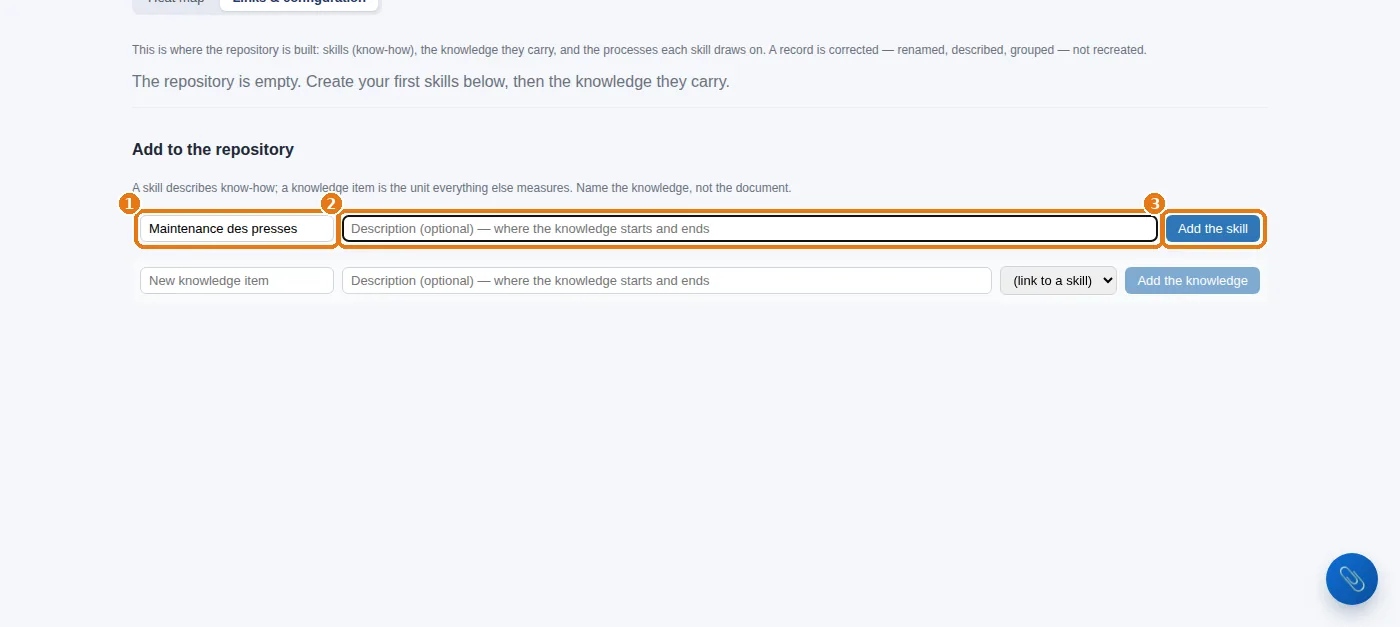
Links & configuration tab, Add to the repository block.
2
1 The name of the skill (“Maintenance des presses”), 2 an optional description — where this know-how begins and where it ends — then 3 Add the skill.
“Add to the repository”: a skill, its description, then “Add the skill”.

Once you have several skills, a “Grouped under” list appears so that you can file one skill under another (optional).

2. Create a knowledge item
1
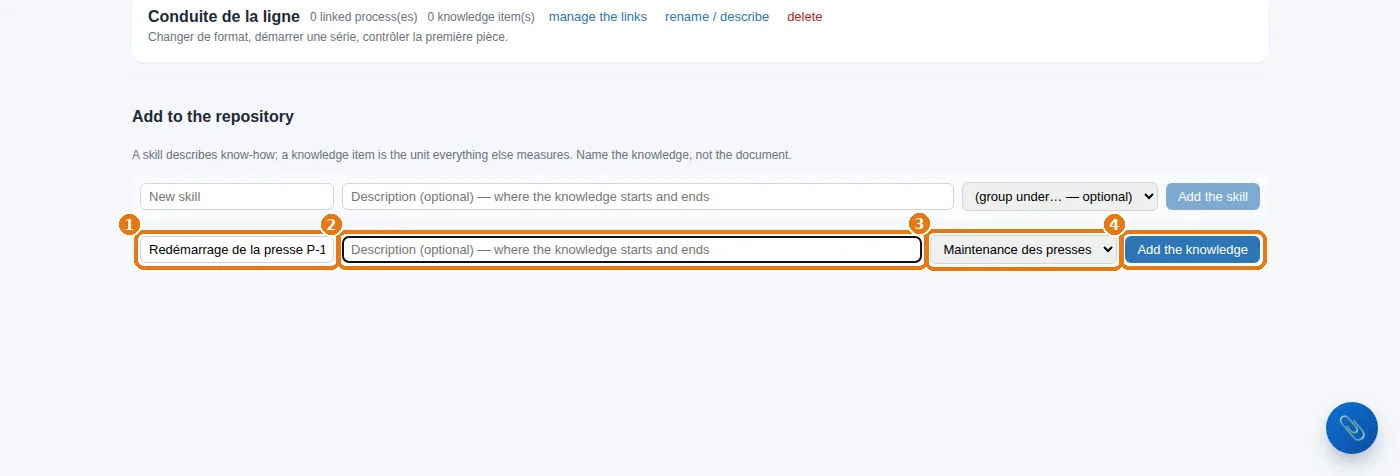
Same block, next line down: 1 the name of the knowledge item, written the way people say it on the ground, 2 its description, 3 the skill it belongs to, then 4 Add the knowledge.
2
Repeat for each knowledge item. In the example: six knowledge items, four under “Maintenance des presses”, two under “Conduite de la ligne” (line operation).
A knowledge item: its name, its description, its skill, then “Add the knowledge”.
The right granularity. A knowledge item can be passed on in a few sessions and measured on a person. “Maintenance” is too broad (nobody “masters” it at level 5); “tighten screw 4” is too narrow. “Réglage du couple de serrage des matrices” (setting the die clamping torque) is just right. Name the knowledge, not the document that talks about it.
How many to start with? Five to ten knowledge items per department are enough for the map to tell you something. A repository of two hundred lines on day one will never be assessed. You will add more as people mention them to you — and the system will suggest some itself (keeping the repository up to date).

3. What you should see

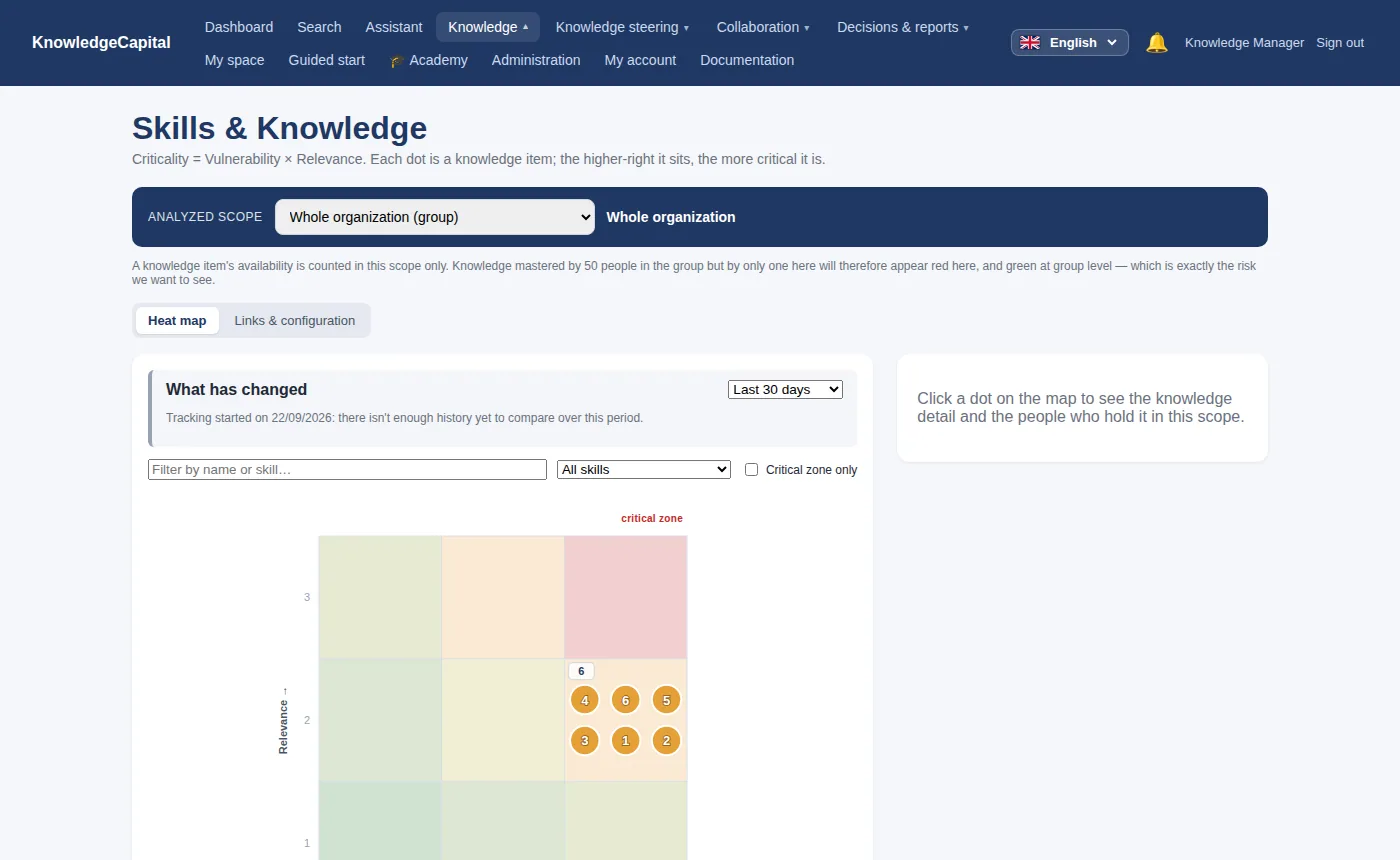
The map with Atelier Nord's six knowledge items.

4. Correct a record

1
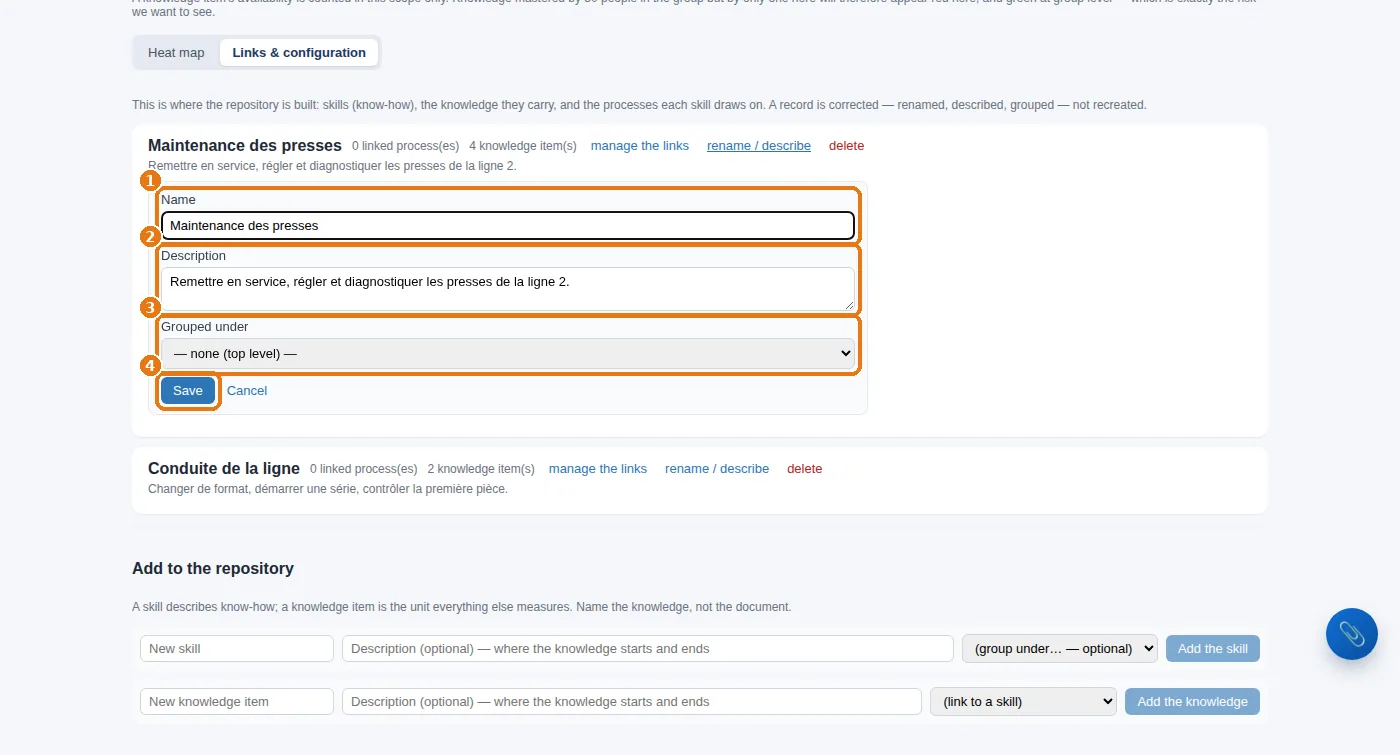
In Links & configuration, on the row of the skill or knowledge item: rename / describe.
2
1 the name, 2 the description, 3 the grouping, then 4 Save. Renaming breaks nothing: mastery levels, tests and documents follow.
Correcting a repository record: name, description, grouping, then “Save”.

5. Already have a repository in a document?

Knowledge steering › Import repository: upload a skills repository or a job description, in Excel, CSV, PDF, Word, text or Markdown. The system extracts the skills and knowledge items from it and suggests them to you; you confirm what is right. Nothing goes in without you.
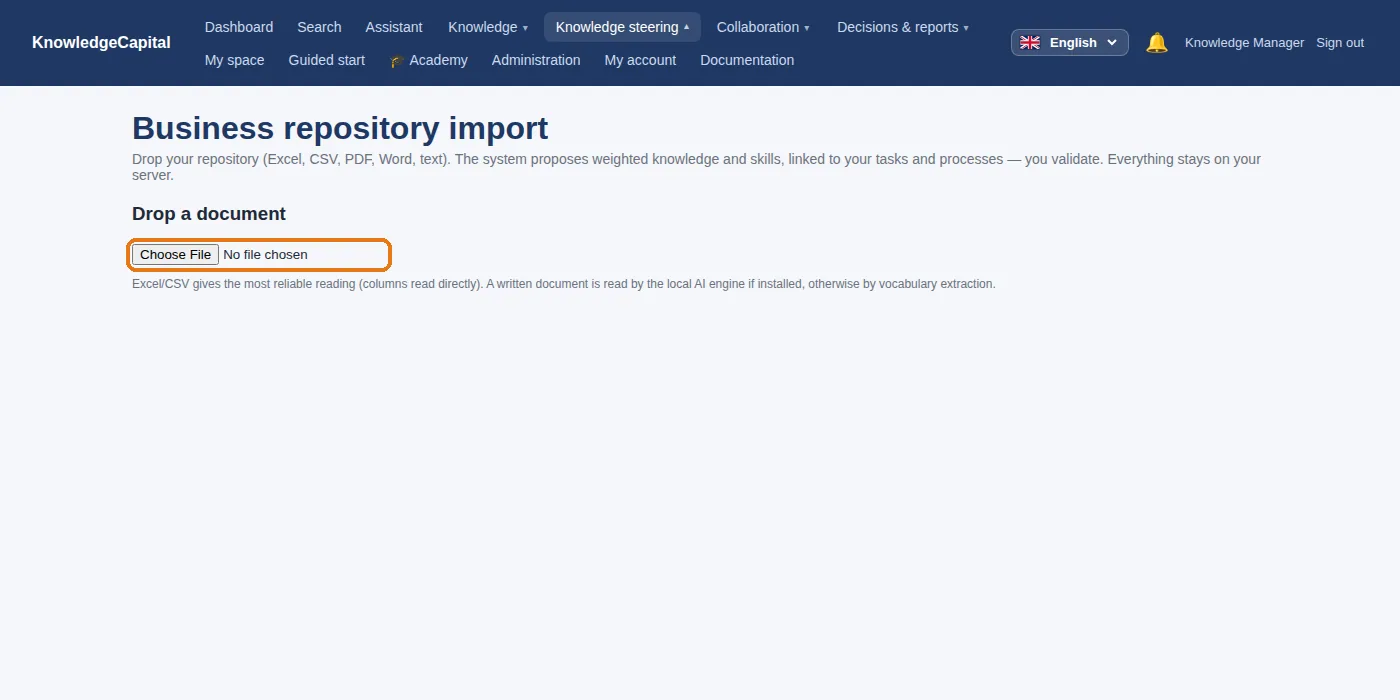
Repository import: upload a document from which the system extracts skills and knowledge items.
Your knowledge, named in your own words.A useful repository is built in an hour and then grows on its own: the system proposes the emerging skills and the knowledge items it spots. The trial lasts 14 days, with no card. Start a free 14-day trial (no card needed) or request a demo.

See also: Step 4 — Processes and tasks: what makes a knowledge item relevant · Step 5 — Who knows what: mastery, and a map that finally tells you something · Keeping the repository up to date without spending your days on it · Skills mapping: method and software · Knowledge management software: how to choose

Frequently asked questions

What is the difference between a skill and a knowledge item?

A skill is a family of know-how, used to state what a task requires. A knowledge item is a specific piece of knowledge that can be passed on and measured on a person.

How many knowledge items should you create to start with?

Five to ten per department are enough for the map to tell you something. A repository of two hundred lines on day one will never be assessed.

Can you import an existing skills repository?

Yes: Knowledge steering then Import repository accepts a skills repository or a job description in Excel, CSV, PDF, Word, text or Markdown. The system suggests what it extracts, and you confirm what is right.

Docs