Step 4 — Processes and tasks: what makes a knowledge item relevant
Create the processes and their tasks, state what each task requires and who holds it: that link is what makes a knowledge item relevant.
In short. A knowledge item that no task requires is just a word in a list. In Knowledge then Processes & Tasks, you create one process per department and its tasks, then state what skill each task requires and at what level, and who holds it today. A task with nobody assigned is left out of every calculation.
A knowledge item that no task requires is just a word in a list. Once a task requires it, it has relevance: it is used, every day or once a year, and the system knows it.
1. Create a process
1
Knowledge › Processes & Tasks. Switch to List view (edit).
2
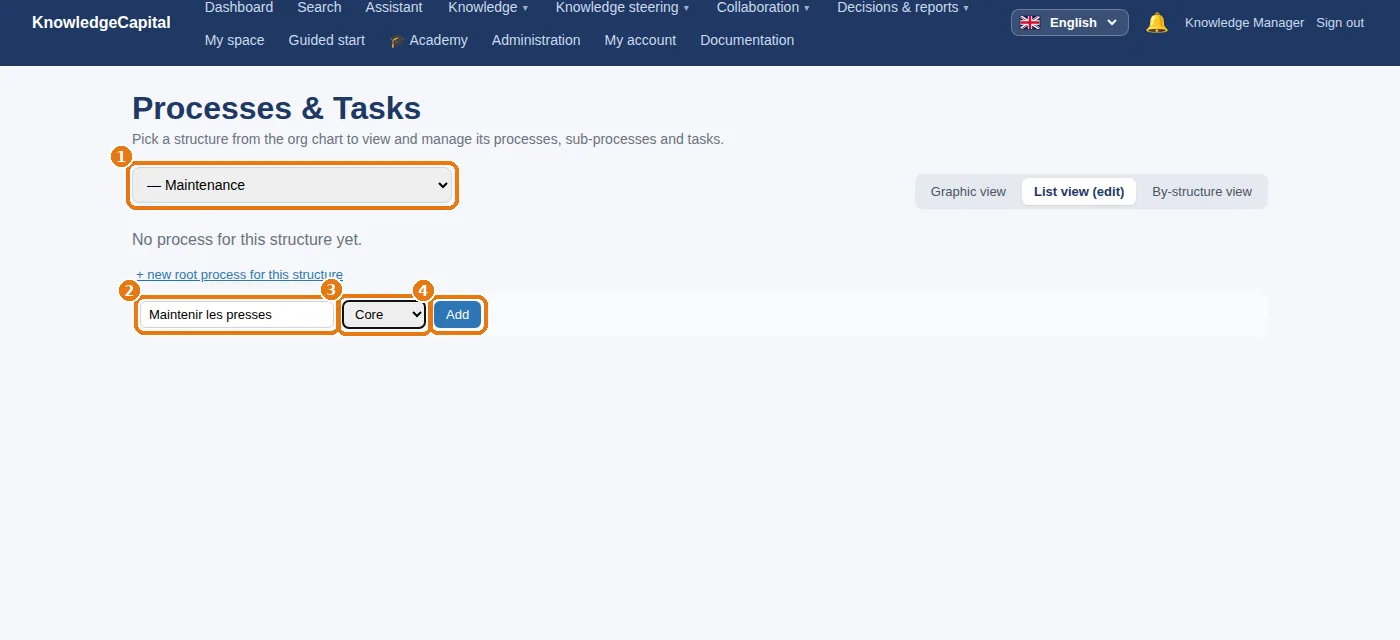
1 Choose the structure at the top (“Maintenance”).
3
Click + new root process for this structure. 2 The name of the process (“Maintenir les presses”, i.e. maintaining the presses), 3 its nature (core or support), then 4 the add button.
A new process: the structure, the name, the nature, then the add button.
2. Add its tasks
1
On the process row: + task.
2
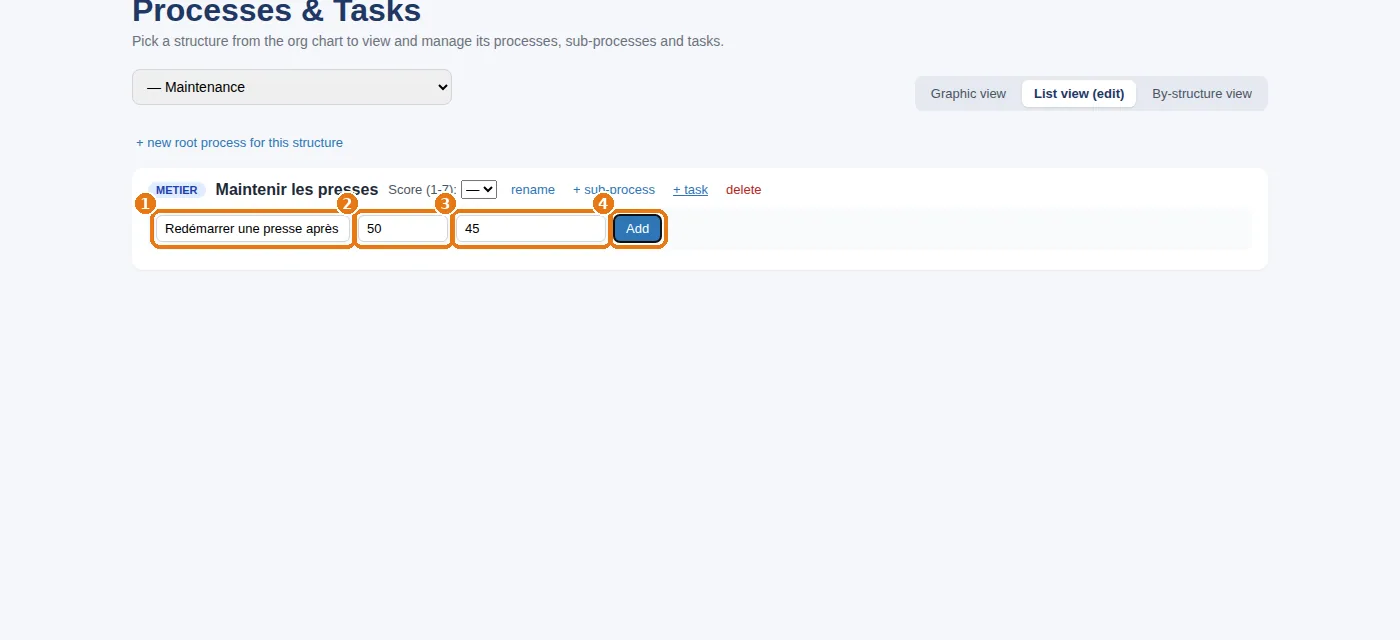
1 The name of the task (“Redémarrer une presse après arrêt”, i.e. restarting a press after a stoppage), 2 its weighting within the process, as a percentage (aim for a total of 100% across the tasks of the same process: 50% each for two tasks), 3 an optional maximum duration, then 4 the add button.
3
Repeat with “Régler les matrices” (setting the dies); then, for Production, the process “Conduire la ligne 2” (running line 2) with “Changer de format” (changing format) and “Démarrer une série” (starting a production run).
A new task: the name, the weighting, the maximum duration, then the add button.
Sub-processes? Click + sub-process on a process row. Unnecessary at the start: two levels are almost always enough. Click weight the tasks to rebalance the percentages in one go.
3. State what each task requires
1
Click the name of a task: it opens on two blocks.
2
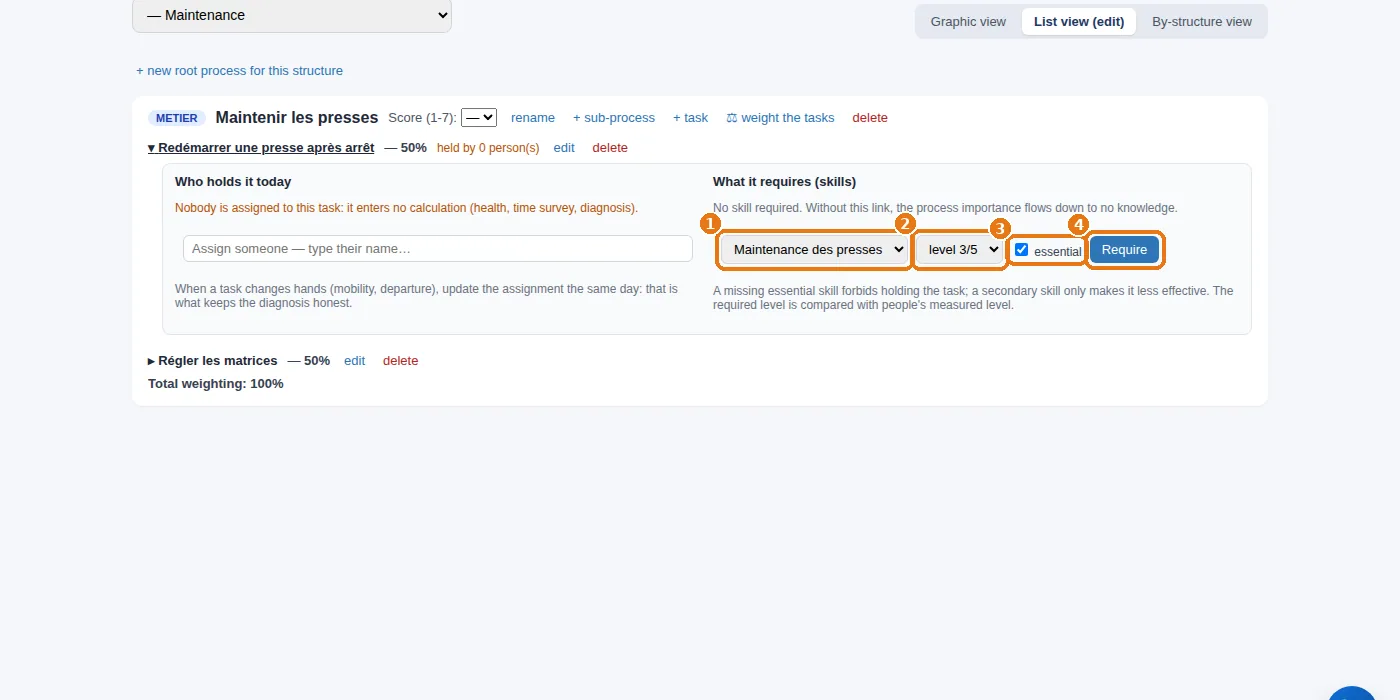
“What it requires” block: 1 the skill, 2 the required level (from 1 to 5; 3 = autonomous), 3 “essential” if the task cannot be performed without it, then 4Require.
What a task requires: the skill, the required level, “essential”, then “Require”.
Essential or not? Without an essential skill, the task cannot be performed; without a secondary skill, it is merely performed less efficiently. The required level is compared with people's measured level: this is what highlights the gaps in the diagnosis.
4. State who holds the task
1
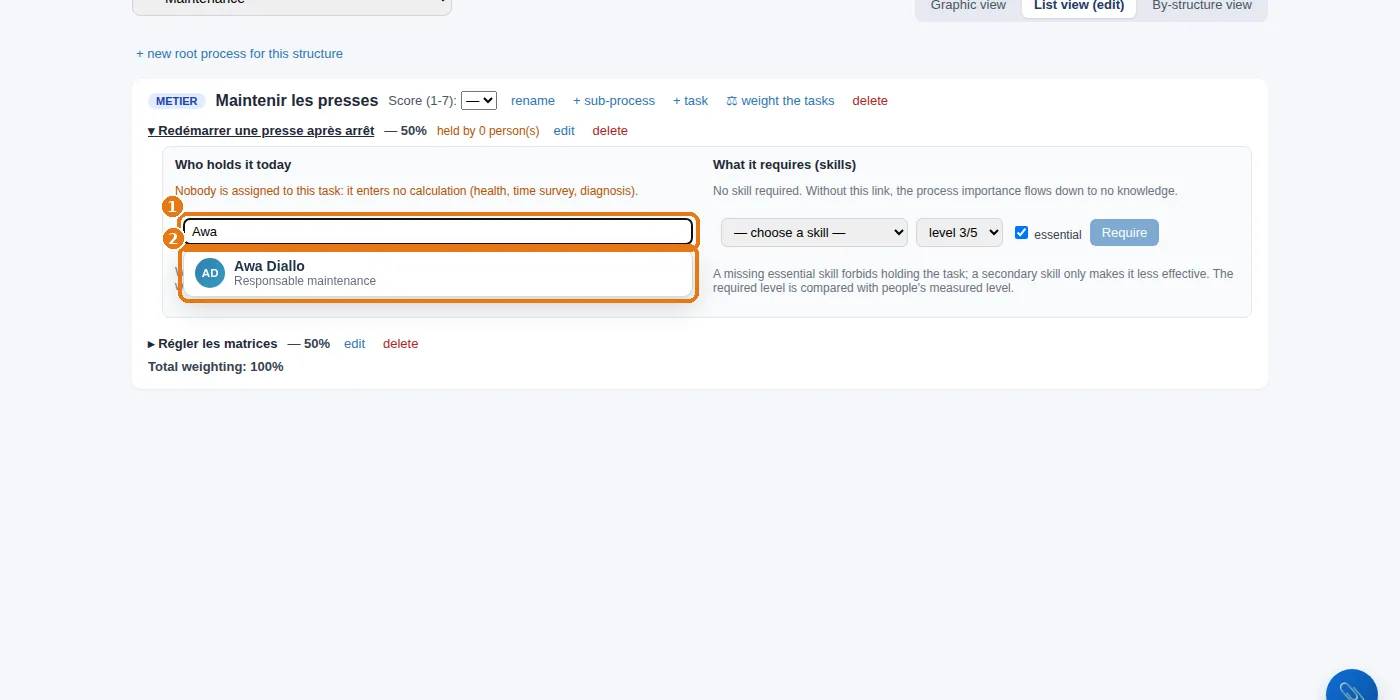
“Who holds it today” block: 1 type the beginning of a name, then 2 click the person in the list that appears.
2
Add everyone who actually performs the task. In the example: Awa and Karim on both maintenance tasks; Sofia, Youssef and Léa on line 2.
Who holds the task: type the beginning of a name, then choose the person.
Why this matters. A task with nobody assigned is left out of every calculation (structure health, time logging, diagnosis). And the “Who do you call?” questionnaire that your employees will fill in at their first sign-in is built from the knowledge in THEIR tasks: assign people to tasks before opening the accounts.
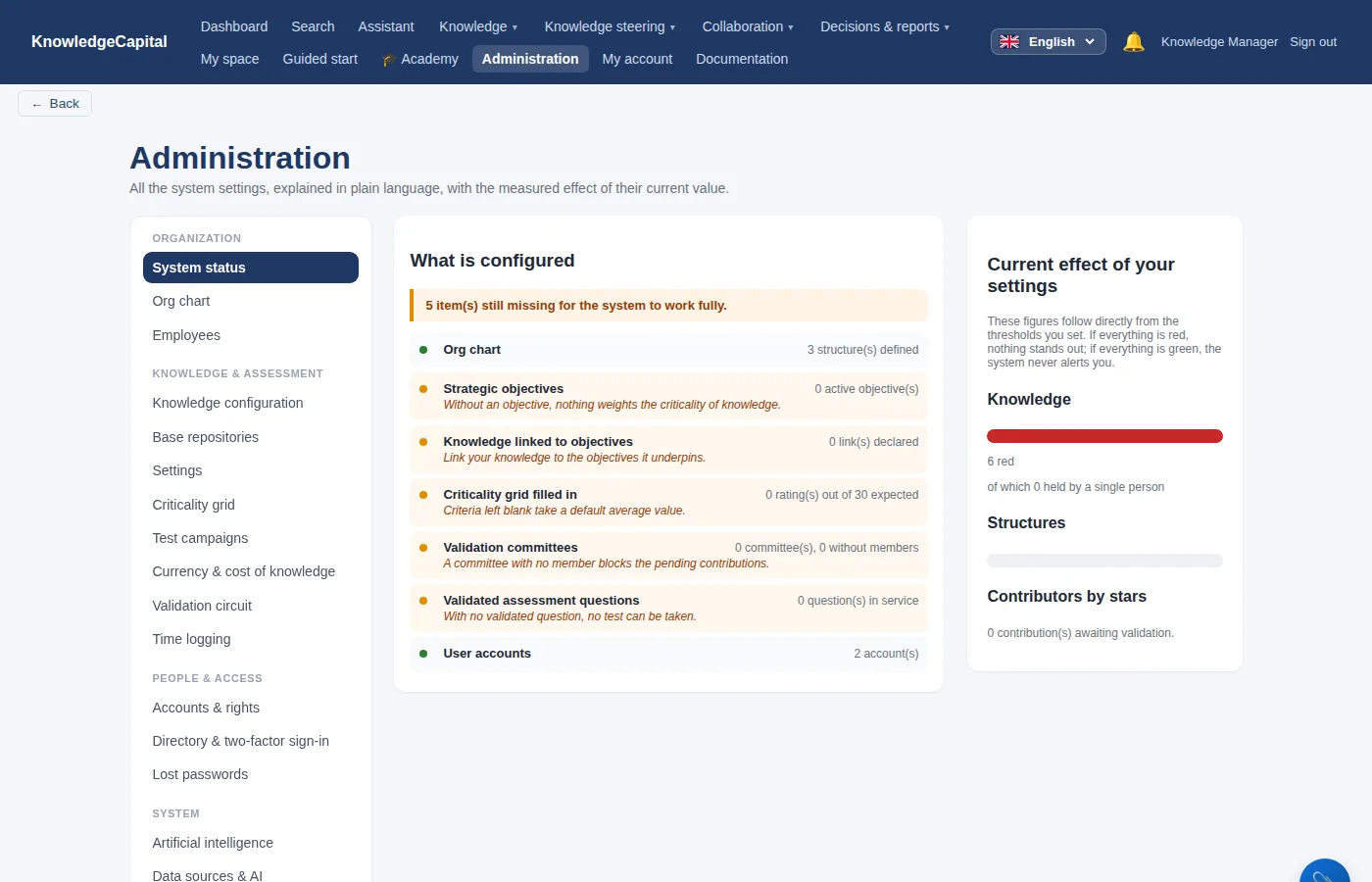
System status, halfway through
The system status halfway through: the first lines have turned green.
The org chart and the accounts are green. The lines still orange — objectives, links to objectives, criticality grid, committees, questions — are covered in steps 6, 8 and 9.
The link that keeps the map accurate.Attaching knowledge to tasks is what lets you test each person on what they actually do, and see a gap as soon as the activity changes. See it on your own processes: 14 days, no card. Start a free 14-day trial (no card needed) or request a demo.