In short. A repository that is accurate on launch day is wrong six months later if nobody touches it. Rather than maintaining it at set times, react to the six signals the system gives you: knowledge mentioned that does not exist, words without a definition, emerging skills, required levels to raise, CV knowledge that no task uses.
A repository that is accurate on launch day is wrong six months later if nobody touches it. You do not need to “maintain” it at set times: you need to react to six signals, which the system gives you.
1. The signals that tell you to update the repository
| Signal | Where | What to do |
|---|---|---|
| Someone mentions knowledge that does not exist in the repository | a meeting, an expert question | Create the knowledge item (step 3), then declare its holders |
| Words keep coming up without a definition | Glossary › “Words to define” | Define the term, or entrust the category to an expert |
| Knowledge items that no skill covers | Smart repository › “Emerging skills” | Create the proposed skill, in one click |
| A required level that no longer matches criticality | Smart repository › “Required levels to raise” | Raise the required level to the recommended one |
| Knowledge in CVs that no task uses | Untapped knowledge | Transfer it into a task, or dismiss it |
| Documents that talk about a knowledge item | the connector's record, proposals | Confirm or dismiss the link |
2. The smart repository
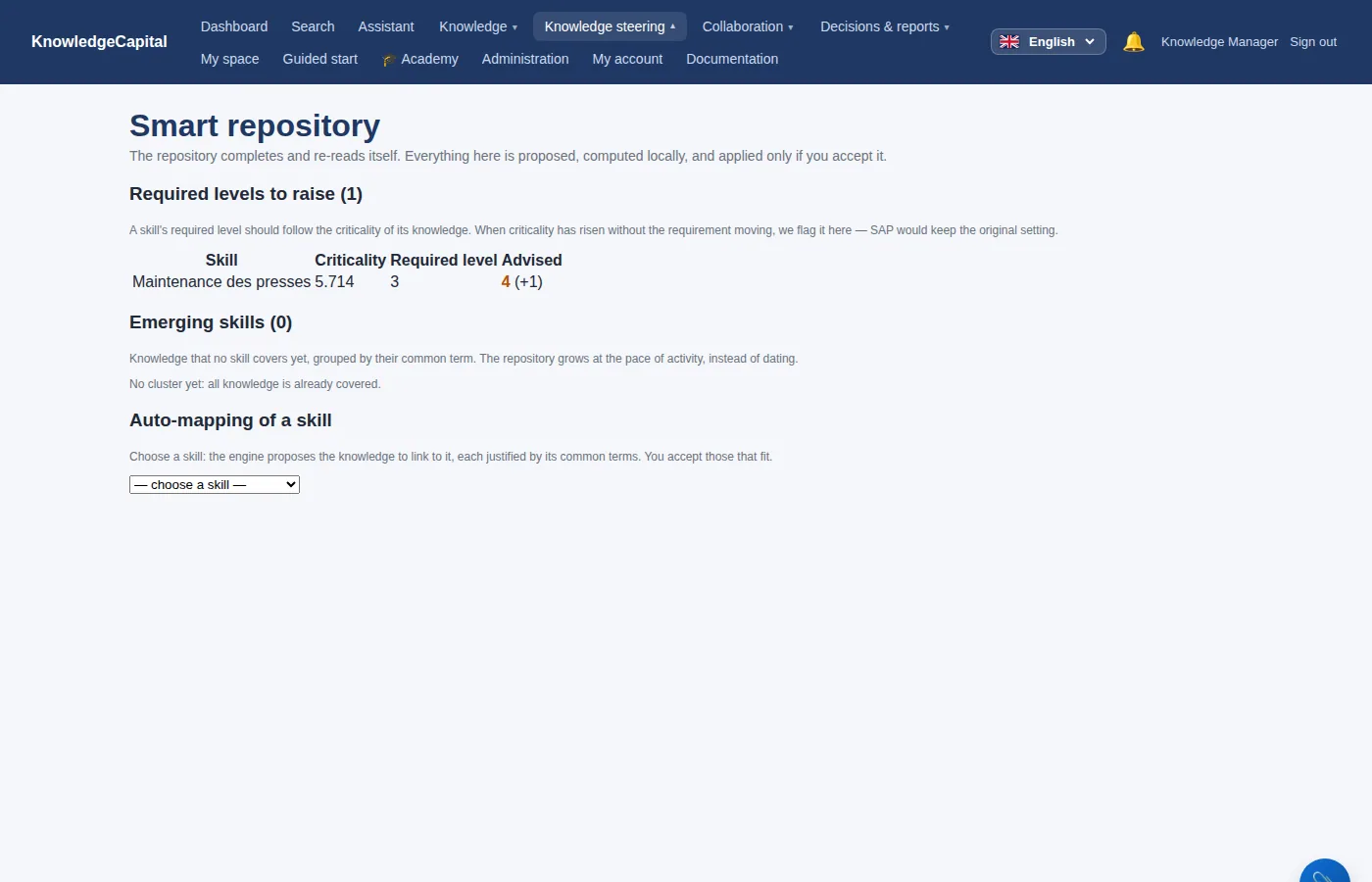
Everything there is proposed, calculated on your server, and nothing is applied without you. The auto-mapping of a skill proposes the knowledge items to link to it, each one justified by the terms they share.
3. The glossary
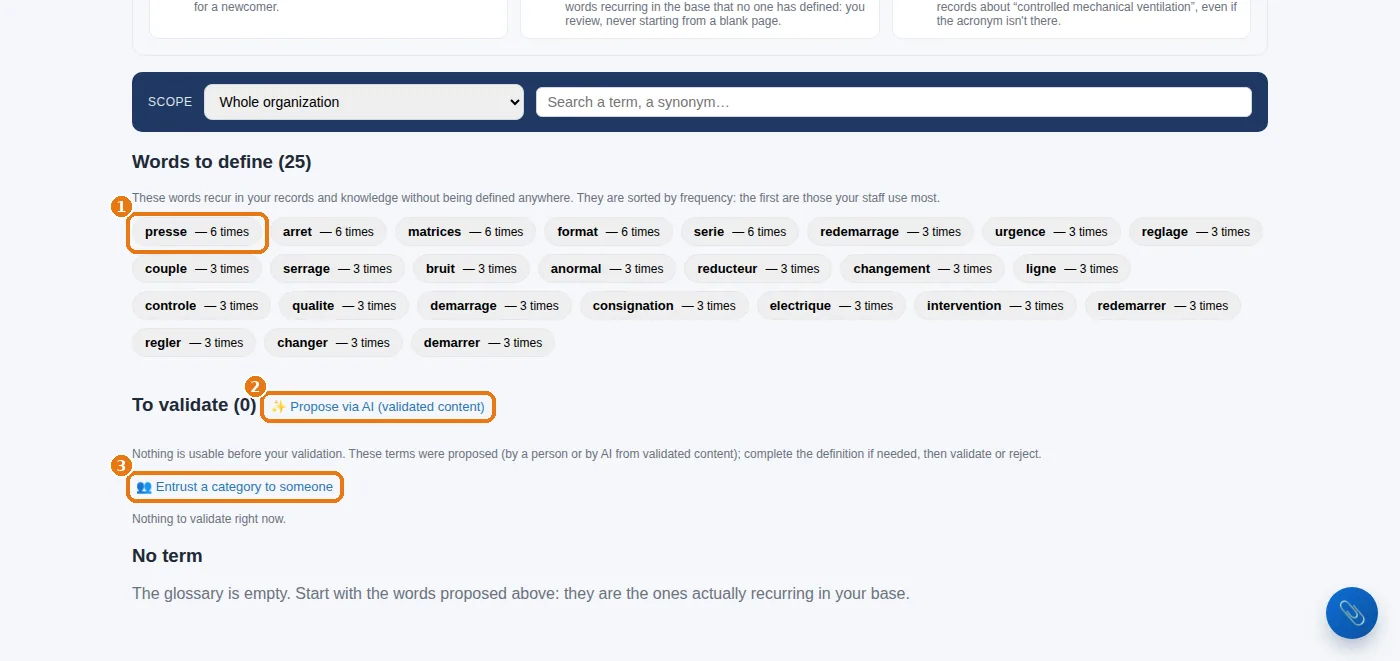
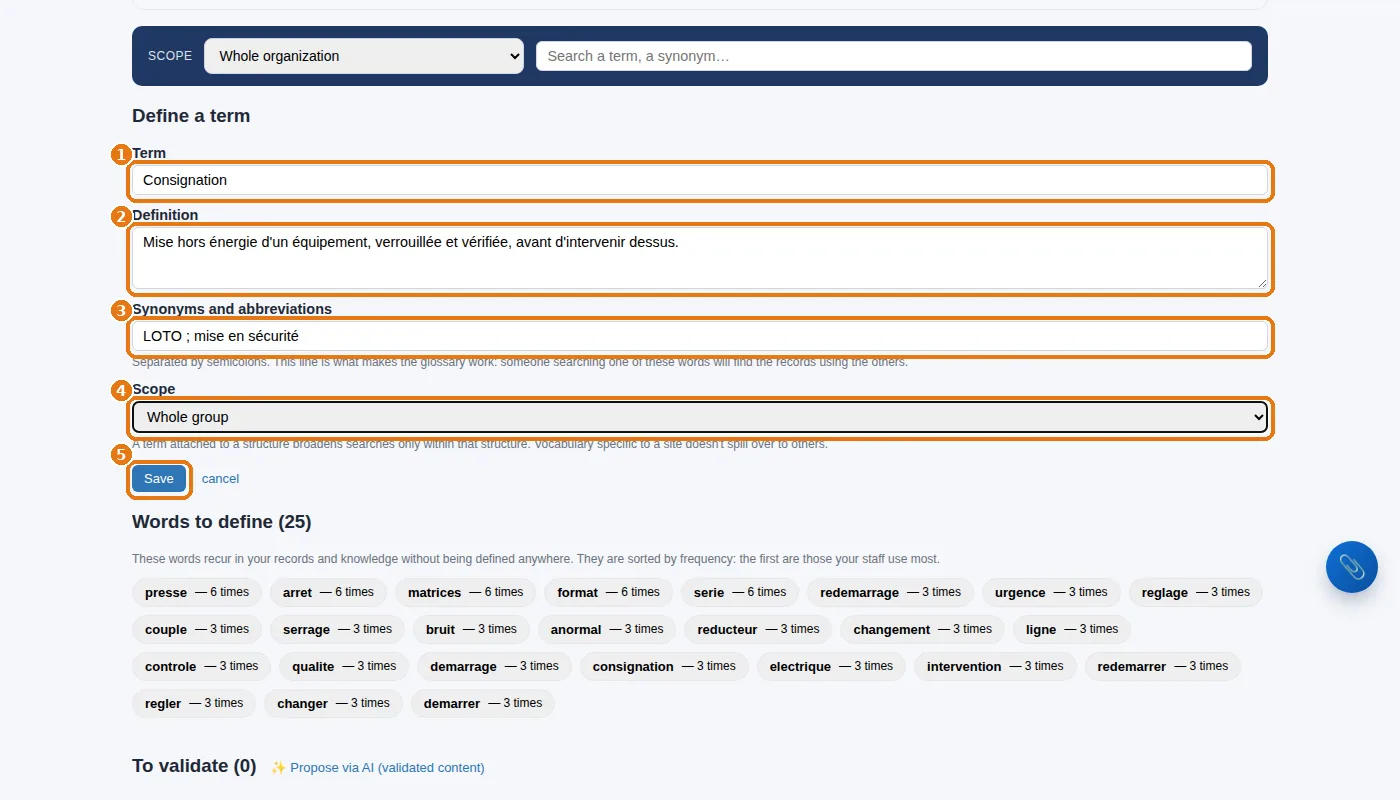
A defined term is not just there to be read: its synonyms broaden searches. Searching for “LOTO” will now find the entries that talk about consignation (lockout).
4. Renaming, grouping, removing — without breaking anything
- Renaming a knowledge item (rename / describe) keeps everything: mastery levels, tests, documents, history.
- Splitting a knowledge item that is too broad: create the two new ones, declare their holders, then remove the old one from the tasks.
- Removing: see case 12. You remove a knowledge item from its tasks before deleting it; you mark an entry as outdated rather than erasing it.
See also: Step 3 — The repository: skills, then knowledge items · Running the system: every day, every week, every month · AI and machine learning: what they do for you, and what they do not · Skills mapping: method and software · Knowledge management software: how to choose
Frequently asked questions
How do you keep a skills repository up to date?
By reacting to six signals rather than to a calendar: knowledge mentioned that does not exist, words without a definition, emerging skills, required levels to raise, CV knowledge that no task uses, and documents to link. Half an hour a month is almost always enough.
Can you rename a knowledge item without losing data?
Yes: renaming keeps everything — mastery levels, tests, documents and history all follow.
What is the glossary for?
To define the frequent words in your entries that do not have a definition yet. Its synonyms also broaden searches: searching for “LOTO” will now find the entries that talk about lockout.