Step 8 — The validation circuit: who approves what gets written
Set the validation circuit's rules and create a committee: who approves the entries before they enter the knowledge base, and how long they wait.
In short. Before it becomes visible to everyone, a contribution goes through a committee; without a committee, it waits. In Administration then Validation circuit, you choose whether contributions circulate while under review, whether a manager gives an opinion first, and you create your committees with their members. Waiting time is monitored.
Employees are going to write: lessons learned, solutions, expert answers turned into entries. Before it becomes visible to everyone, a contribution goes through a committee. Without a committee, it waits — and that is an orange line in the system status.
1. The circuit's rules
1
Administration › Validation circuit.
2
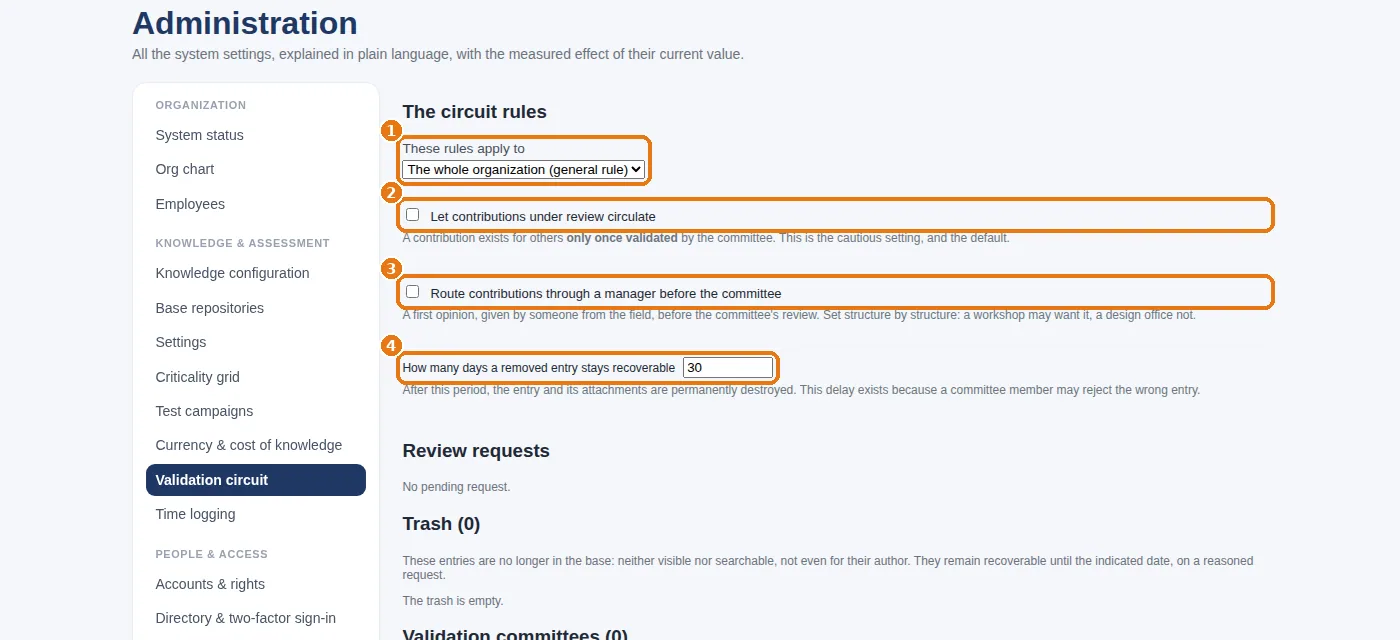
1 Choose what the rules apply to: the whole organization (general rule) or one structure.
3
2Let contributions under review circulate: unticked (the default, and the cautious choice), a contribution exists for others only once it has been validated; ticked, it is visible as soon as it is submitted, flagged as not validated — useful when urgency comes first.
4
3Route contributions through a manager before the committee: a first opinion from the field before the committee, structure by structure.
5
4 The number of days during which a withdrawn entry can still be recovered from the recycle bin (0 = never destroyed).
The rules of the validation circuit: scope, circulation, pre-validation, recycle bin period.
2. Create a committee
1
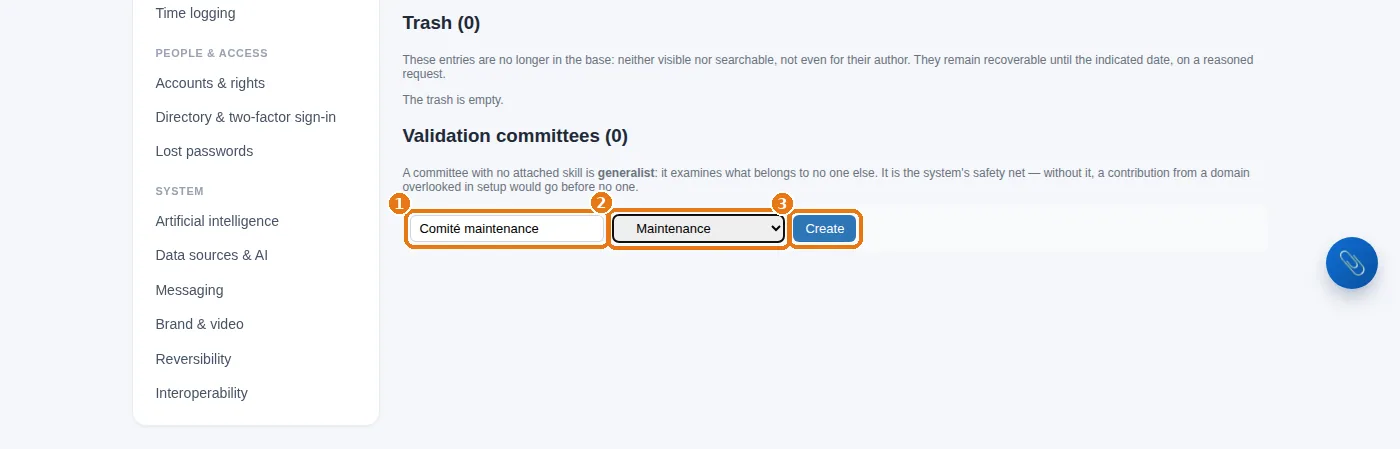
Committees block: 1 the name (“Comité maintenance”, i.e. maintenance committee), 2 its structure, 3Create.
2
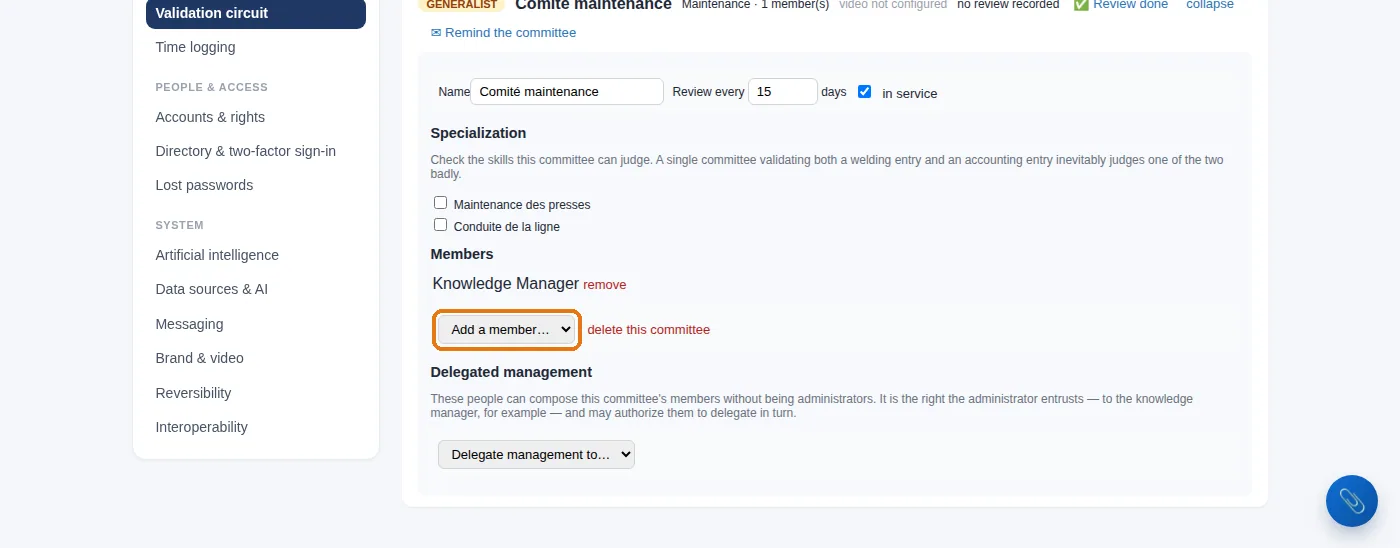
Then, on the committee's row, click configure to add its members (two are enough to start with) and set its review frequency.
Creating a validation committee: its name, its structure, then “Create”.Configuring a committee: adding its members.
A committee with no members blocks everything. The contributions within its scope wait indefinitely. That is precisely why the system status counts committees “without members”.
3. An entry's journey
1
An employee submits a contribution from the Knowledge base (or turns an answer from the expertise center into an entry).
2
If pre-validation is active, their manager gives an opinion (My opinion before the committee tab).
3
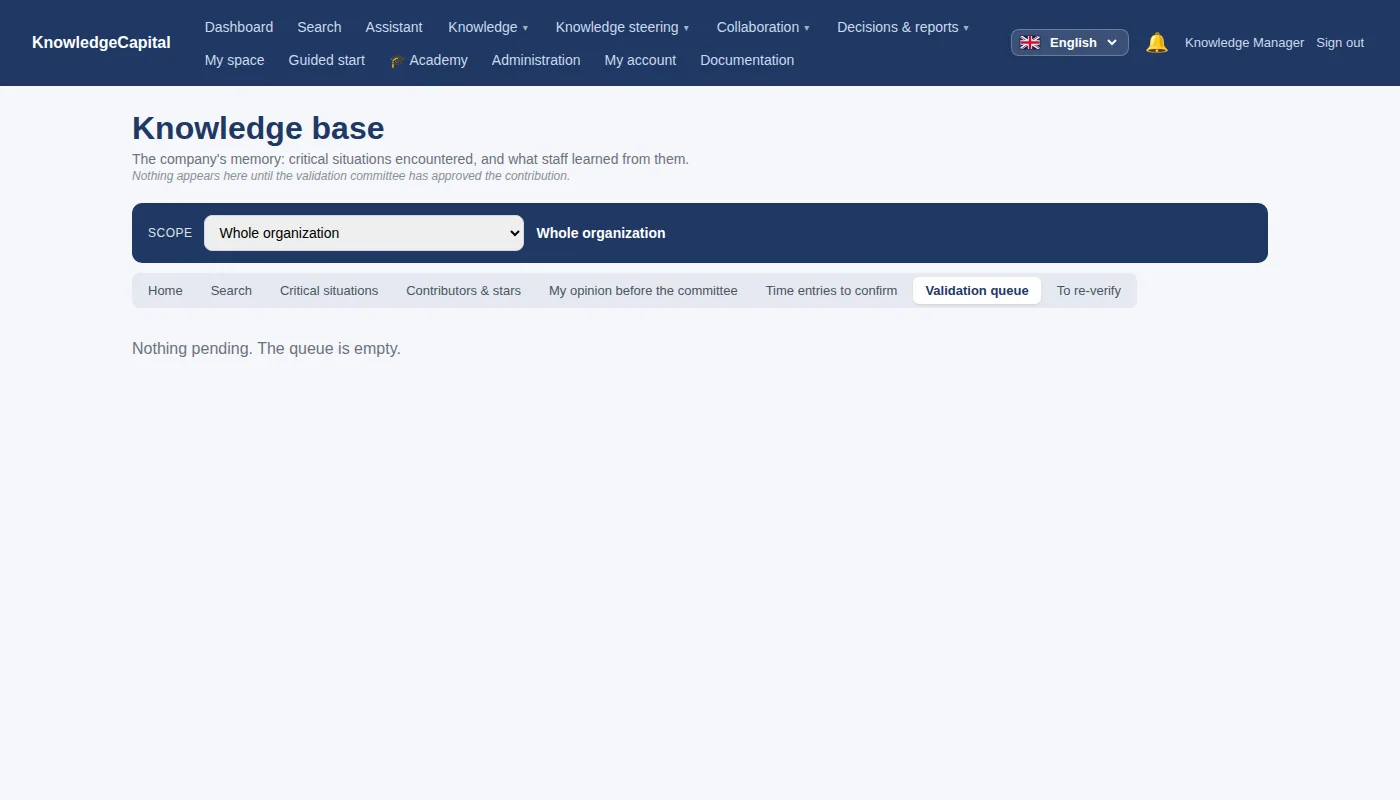
The committee finds it in the Validation queue tab: it approves it (with a quality rating), asks for a correction, or rejects it with a reason.
4
Once validated, the entry becomes searchable, is linked to its knowledge items, and earns stars for its author.
The knowledge base validation queue.
Waiting time is monitored: beyond the threshold set in Settings (“Days waiting before “overdue””), the entry is flagged as overdue, and the report “Is the validation workflow holding records back?” shows it to management.
A knowledge base where everything is validated.Each entry goes through a committee, earns a quality rating and becomes searchable, linked to its knowledge items. The circuit is set in ten minutes. The trial lasts 14 days, with no card. Start a free 14-day trial (no card needed) or request a demo.
A validation committee, created for one structure or for the whole organisation. It approves with a quality rating, asks for a correction, or rejects with a reason.
What happens if a committee has no members?
The contributions within its scope wait indefinitely. That is precisely why the system status counts the committees without members.
Is a contribution visible before it is validated?
By default no: it exists for others only once it has been validated. The option “Let contributions under review circulate” makes it visible as soon as it is submitted, flagged as not validated.