In short. The decision board shows what calls for a decision, with the button that leads to it, and exports to Excel or PDF in the reader's language. Sixteen ready-to-use reports are grouped by reader: management, knowledge management, technical administration. You can also compose your own and save it for its readers.
1. The decision board
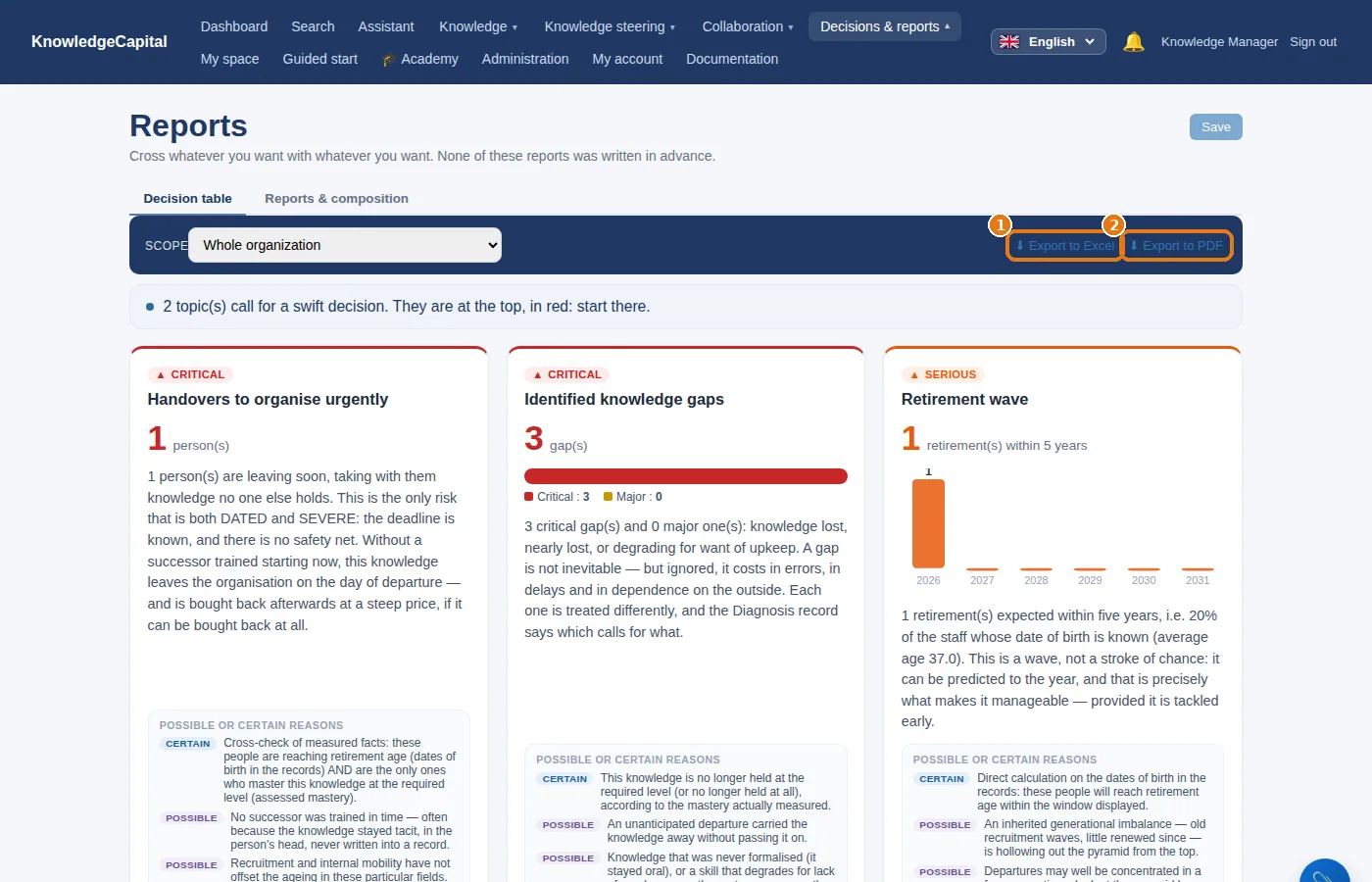
Decisions & reports › Decision board: what calls for a decision, and the button that leads to it (“See the sole holders”, “Plan a buddy pairing”…). 1 Export to Excel and 2 Export to PDF produce it for the meeting, in the reader's language.
2. Sixteen ready-to-use reports
| For management | For knowledge management | For technical administration |
|---|---|---|
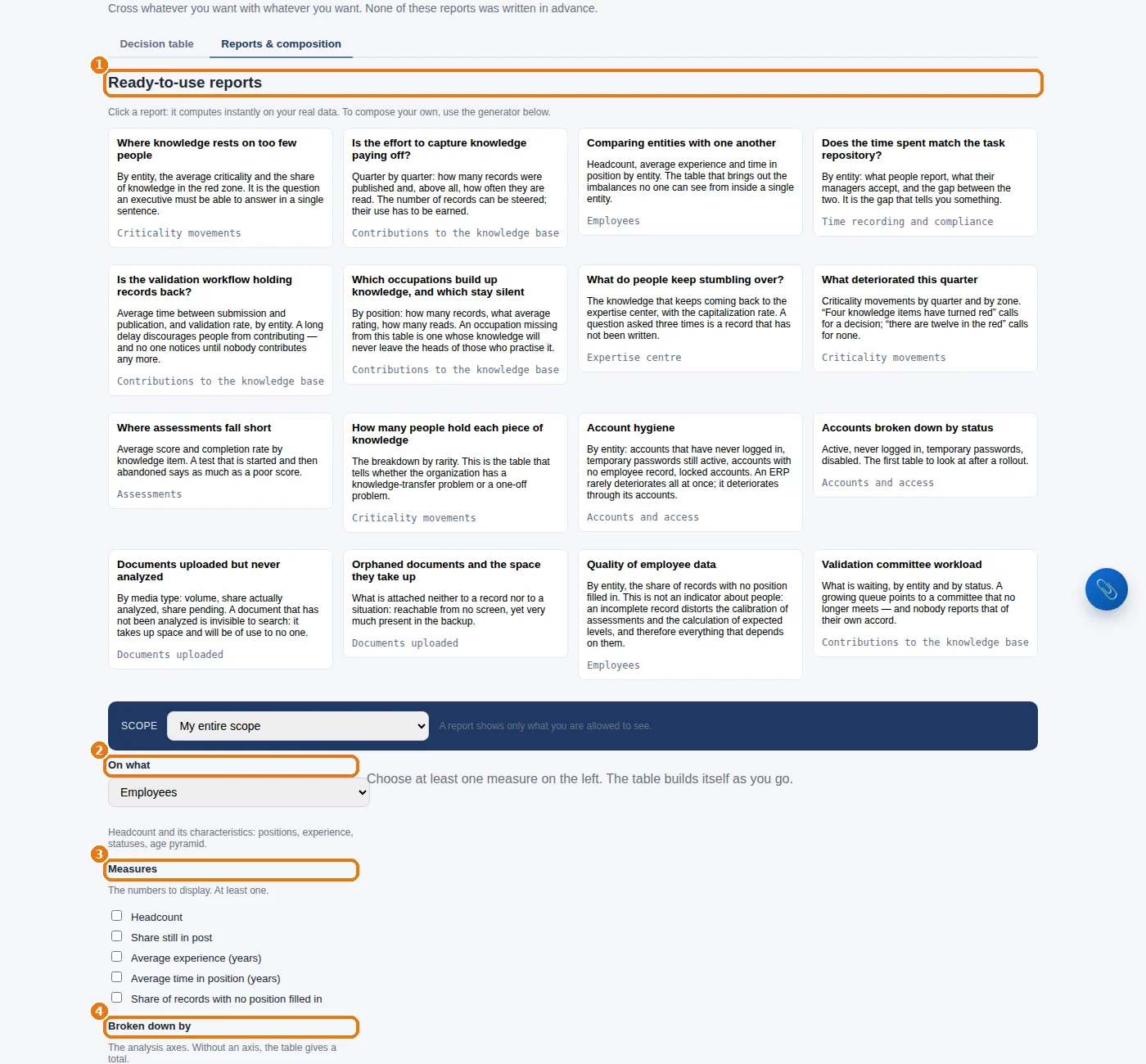
| Where knowledge rests on too few people Is the effort to capture knowledge paying off? Comparing entities with one another Does the time spent match the task repository? |
Is the validation workflow holding records back? Which occupations build up knowledge, and which stay silent What do people keep stumbling over? What deteriorated this quarter Where assessments fall short How many people hold each piece of knowledge |
Account hygiene Accounts broken down by status Documents uploaded but never analyzed Orphaned documents and the space they take up Quality of employee data Validation committee workload |
3. Composing your own
4. The agenda for a monthly review (45 minutes)
- Knowledge with a single holder: what is new, what has come off the list (10 min).
- Departures in the next twelve months, and what they leave orphaned (10 min).
- Action plans: overdue, closed, re-measured (10 min).
- The knowledge base: what is awaiting validation, what is lying dormant (5 min).
- Three decisions, no more, each with an owner and a date (10 min).
See also: Running the system: every day, every week, every month · Step 6 — Objectives and the criticality grid: why a knowledge item matters · When something is identified: the situations, and what to do step by step · A knowledge ERP: what your ERP does not manage · Succession planning for critical knowledge
Frequently asked questions
What knowledge management reports are available?
Sixteen ready-to-use reports, grouped by reader: for management, for knowledge management and for technical administration — for example “Where knowledge rests on too few people” or “Where assessments fall short”.
How do you build a custom report?
Decisions & reports then Compose a report: start from a ready-to-use report or from a blank page, choose the subject, the measures, the breakdown and the filters, then name it and say who it is for. It joins “Available reports” for its readers.
How do you run a monthly knowledge review?
In 45 minutes: knowledge with a single holder, the departures of the next twelve months, the action plans, the state of the knowledge base, then three decisions, each with an owner and a date.