KnowledgeCapital

KnowledgeCapital › Docs

Step 6 — Objectives and the criticality grid: why a knowledge item matters

Set a strategic objective, link the knowledge it depends on and adjust the criticality grid: this is what says why a knowledge item matters.

In short. Scarcity is calculated on its own; importance is not — you are the one who says what matters. You set a strategic objective with its deadline, you link the knowledge items it depends on, then you adjust the weight of the criticality grid's criteria by comparing them two at a time.

Scarcity is calculated automatically (how many people know). Importance is not: you are the one who says what matters. There are two tools for this.

1. A strategic objective
1
Administration › Knowledge configuration.
2
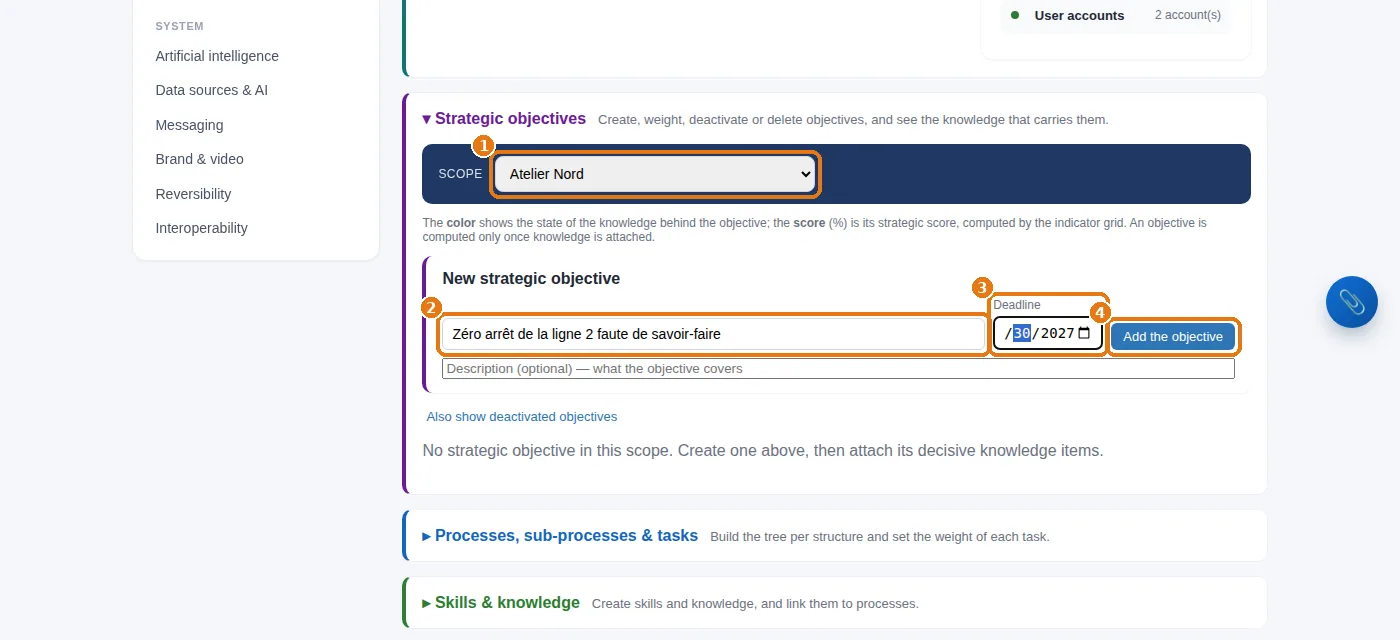
1 Choose the structure (the root for an objective covering the whole organization), 2 the title of the objective, 3 its deadline, then 4 Add the objective.
Knowledge configuration: the structure, the title of the objective, its deadline, then “Add the objective”.
In the example. “Zéro arrêt de la ligne 2 faute de savoir-faire” (no stoppage of line 2 for lack of know-how), deadline end of June 2027, set for Atelier Nord.

2. Link the knowledge items it depends on
1
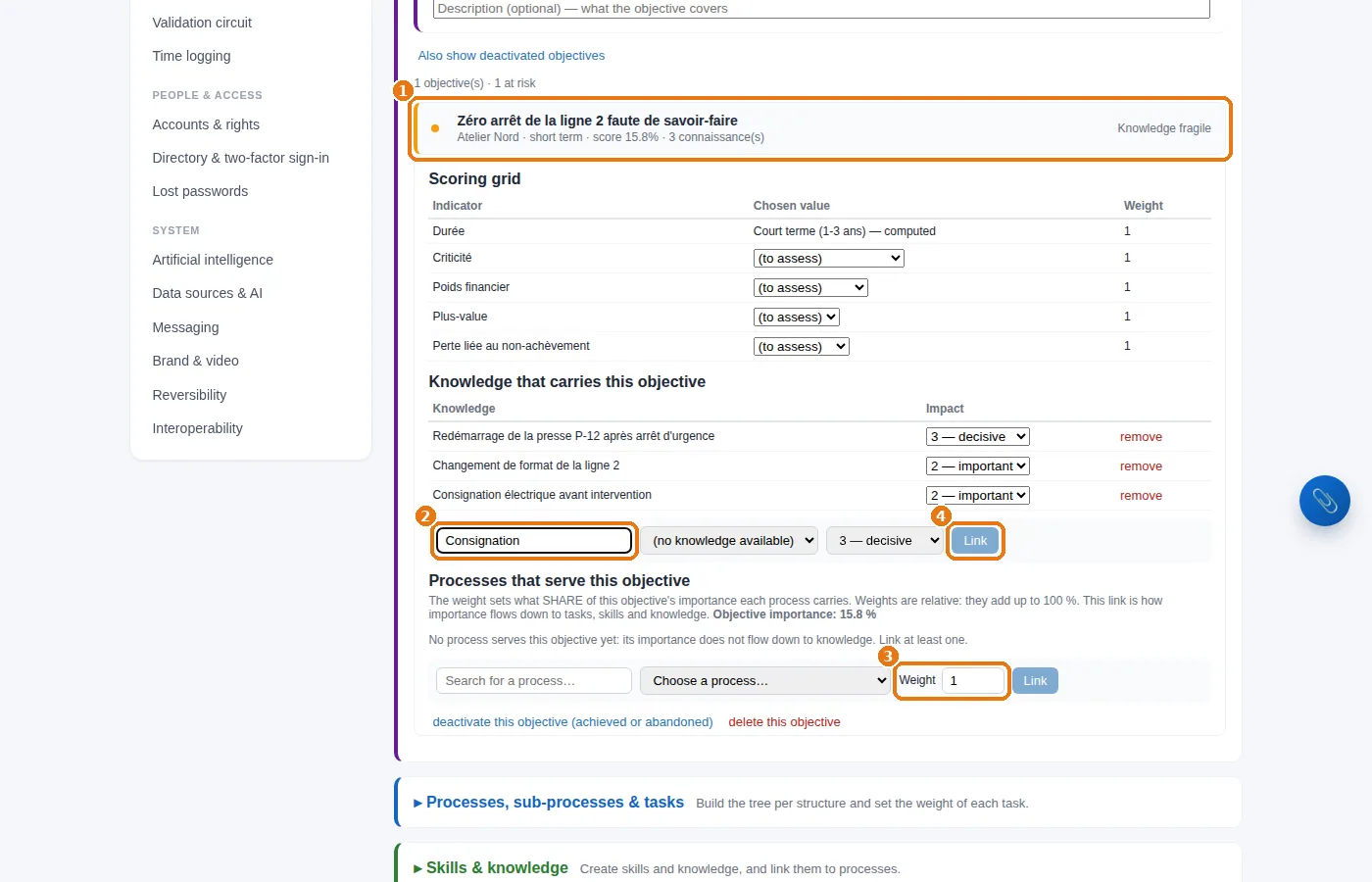
Click 1 the objective's card: it opens.
2
2 Search for the knowledge item, 3 indicate how much the objective depends on it (from 0 to 3), then 4 Link.
An open objective: search for a knowledge item, say how much the objective depends on it, then “Link”.

This link is what pushes a knowledge item that is both scarce and strategic to the top of the alerts. In the example: restarting P-12 (3), electrical lockout (2), format changeover (2).

3. The weight of the criteria

Administration › Criticality grid. The criticality of a knowledge item combines several criteria: how transferable it is, how much it is used, its importance, its availability… Here you state, two at a time, which one weighs more in your organization; the ≫ > = < ≪ buttons are all you need, and the weights are calculated for you. Weight in the average shows the result.
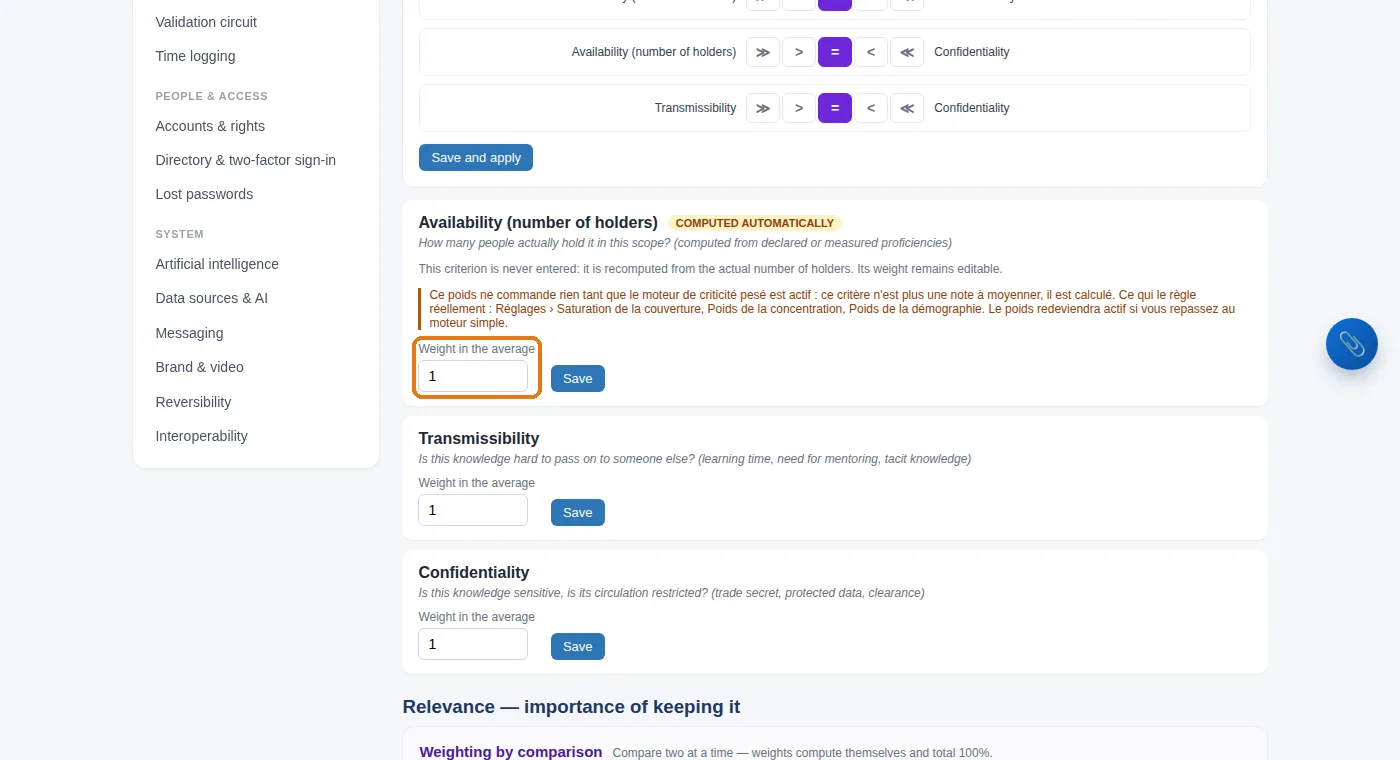
The criticality grid: the weight of each criterion, decided by comparing the criteria two at a time.

4. Assess a knowledge item on the grid
1
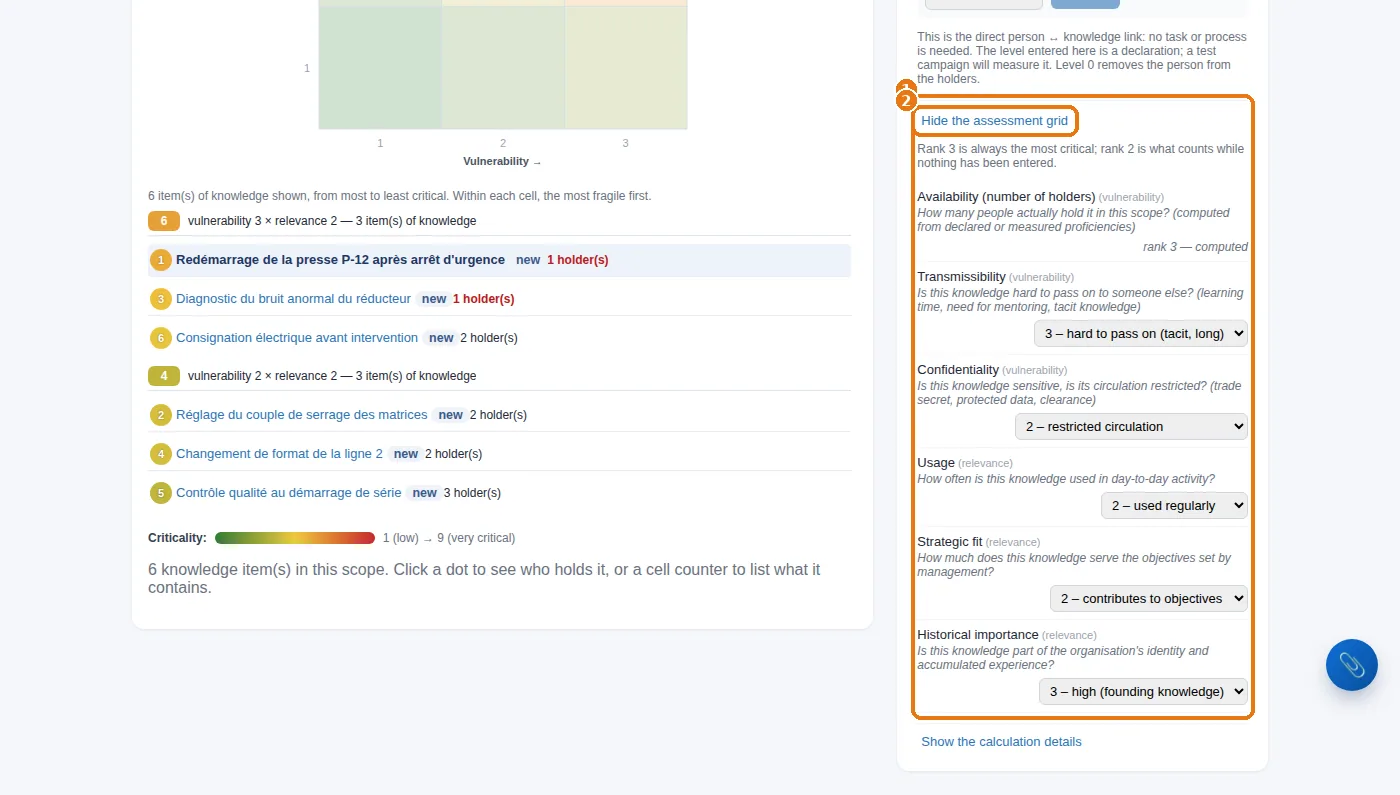
Skills & Knowledge: click the knowledge item, then Show the assessment grid.
2
1 The grid opens: score each criterion from 1 to 3. 2 Click Hide the assessment grid to close it.
The assessment grid of a knowledge item, opened from its record.
Availability is not entered. It is calculated: how many people actually master the knowledge item at a sufficient level. That is why step 5 comes before this one.

Start with the two or three knowledge items that worry you most. The “Criticality grid filled in” line in the system status counts what has been scored.

What about cost? Administration › Currency & cost of knowledge lets you put a figure on the risk (daily cost, time needed to rebuild the knowledge). Optional, but very telling in front of management.
Scarce and strategic: the only list that counts.Linking an objective to the knowledge it depends on pushes what is both scarce and decisive to the top of the alerts. You can even put a figure on the risk. The trial lasts 14 days, with no card. Start a free 14-day trial (no card needed) or request a demo.

See also: Step 5 — Who knows what: mastery, and a map that finally tells you something · Reporting: the decision board, the ready-made reports, and your own · End of setup: the check, line by line · Key-person risk: knowledge held by one person · A knowledge ERP: what your ERP does not manage

Frequently asked questions

How is the criticality of a knowledge item calculated?

Administration then Criticality grid: you compare the criteria two at a time, and the weights are calculated for you. Each knowledge item is then scored from 1 to 3 per criterion, from its own record.

How do you link a knowledge item to a strategic objective?

Administration then Knowledge configuration: open the objective's card, search for the knowledge item, and indicate from 0 to 3 how much the objective depends on it.

Can you put a cost on knowledge that is lost?

Yes: Administration then “Currency & cost of knowledge” lets you put a figure on the risk, from a daily cost and the time needed to rebuild the knowledge.

Docs