In short. Setup is checked on a single screen. Each line of the system status that is still orange tells you which step to go back to: org chart, strategic objectives, knowledge linked to objectives, criticality grid, validation committees, validated questions, user accounts. The full checklist covers the eleven steps, with a link to each.
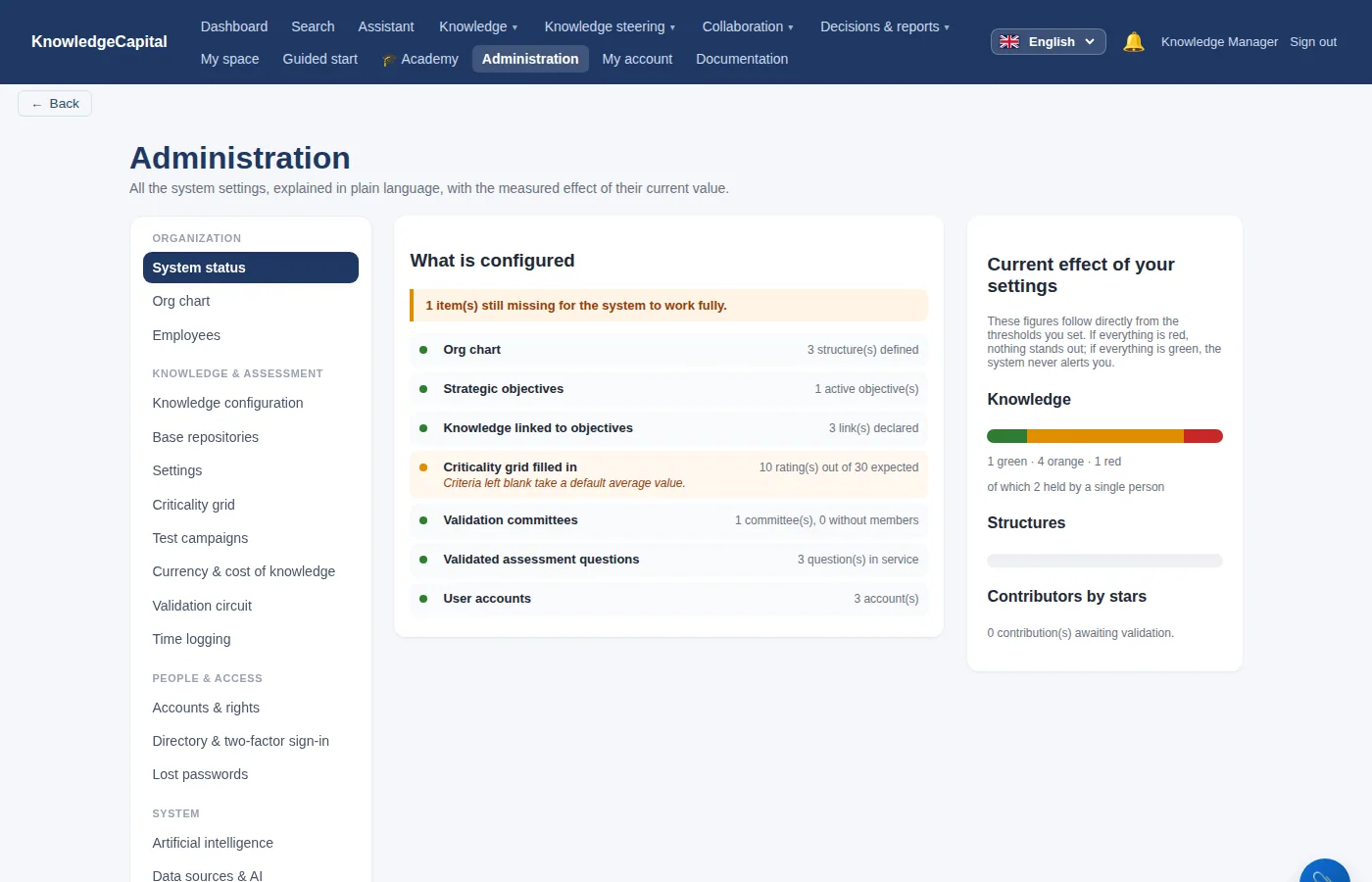
If a line is still orange, it tells you which step to go back to:
| System status line | Where to turn it green |
|---|---|
| Org chart | Step 1 — at least one structure under the root |
| Strategic objectives | Step 6 — one active objective |
| Knowledge linked to objectives | Step 6 — at least one objective ↔ knowledge link |
| Criticality grid filled in | Step 6 — the criteria scored for the knowledge items assessed |
| Validation committees | Step 8 — a committee, with members |
| Validated assessment questions | Step 9 — at least one validated question |
| User accounts | Step 7 |
The complete checklist
| Done? | What | Step |
|---|---|---|
| ☐ | Space reset in blank mode, password changed | 0 |
| ☐ | Root renamed, departments created under it (no second root) | 1 |
| ☐ | Positions created; people entered or imported, each in their own structure; your account linked to your record | 2 |
| ☐ | Skills, then knowledge items, named in the words of the trade | 3 |
| ☐ | Processes and tasks; what each task requires; who holds each task | 4 |
| ☐ | Holders declared for each knowledge item | 5 |
| ☐ | An objective, its linked knowledge items, the grid scored for sensitive knowledge | 6 |
| ☐ | Accounts opened with the right role; first sign-in tested with an employee | 7 |
| ☐ | A committee with members | 8 |
| ☐ | A test location, validated questions, a first campaign | 9 |
| ☐ | A first connector connected and synchronized, links confirmed | 10 |
See also: What setting up really takes: half a day · Running the system: every day, every week, every month · When things don't work: blank-space roadblocks and how to clear them · How to build a knowledge management system from scratch · Succession planning for critical knowledge
Frequently asked questions
How do you know when the setup is finished?
Through the “System status” screen: its seven lines turn green one by one. The checklist on this page covers the eleven steps of the setup.
Why does the system status stay orange?
Because one of the seven lines is not filled in. The table on this page tells you, for each line, which step to go back to.
What are the steps to set up a knowledge management system?
Space reset in blank mode, org chart, positions and people, repository, processes and tasks, holders declared, objectives and criticality, accounts, a validation committee, first questions and campaign, and a first connector.